
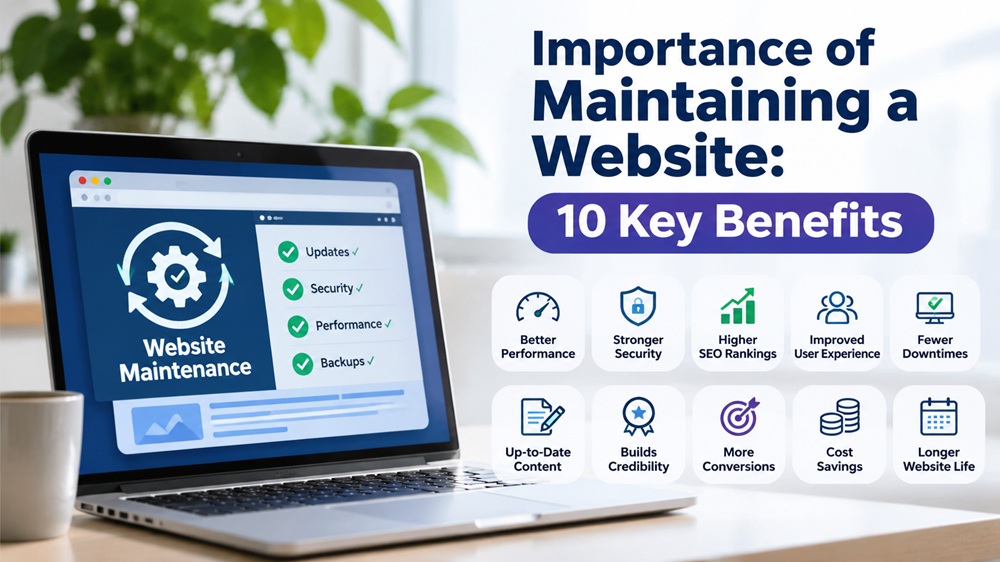
Launching a website is an important step for any business, but keeping it secure, fast and functional requires ongoing attention. Over time, websites can develop security vulnerabilities, software compatibility issues, broken links, outdated information and performance problems.
Website maintenance is important because it helps protect your website, maintain its performance, support technical SEO, improve user experience and prevent problems that could affect customer enquiries or online sales.
For example, imagine a Sri Lankan travel agency receiving enquiries through its website. If a contact form stops sending email notifications after a plugin update, potential customers may continue submitting enquiries without the business receiving them. The website may still appear normal, but it is no longer performing one of its most important business functions.
This is why website maintenance should be treated as an ongoing business responsibility rather than a one-time technical task.
In this guide, we explain the importance of maintaining a website, the risks of neglecting it, essential maintenance activities and how often businesses should check their websites.
What Is Website Maintenance?
Website maintenance is the ongoing process of checking, updating, monitoring and improving a website to ensure it remains secure, functional and useful to visitors.
It involves technical activities as well as regular content and functionality checks.
Common website maintenance activities include:
-
Updating website software, themes and plugins.
-
Monitoring security vulnerabilities and suspicious activity.
-
Creating and testing website backups.
-
Checking website speed and performance.
-
Fixing broken links and technical errors.
-
Updating business information and website content.
-
Testing contact forms, buttons and other features.
-
Monitoring website availability and server performance.
-
Reviewing technical SEO and indexing issues.
-
Checking mobile compatibility and usability.
The exact requirements depend on the website’s platform, complexity and purpose.
For example, a simple company website may require routine software updates, backups and contact form testing. An ecommerce website needs additional attention to payment gateways, checkout functionality, product inventory, customer accounts and order processing.
Website maintenance is therefore not a single task. It is an ongoing process that helps protect the website and the business activities that depend on it.
10 Reasons Why Website Maintenance Is Important
Regular website maintenance offers several benefits to businesses. Here are 10 important reasons to keep your website properly maintained.
1. Protects Your Website from Security Threats
Website security is one of the most important reasons to perform regular maintenance.
Websites use different software components, including content management systems, themes, plugins, scripts and third-party integrations. These components may contain security vulnerabilities that developers identify and address through updates and patches.
If your website continues using outdated software, attackers may be able to exploit known weaknesses.
For example, an outdated WordPress plugin with a publicly documented vulnerability could expose your website to unauthorized access or malicious activity.
Important website security activities include:
-
Updating WordPress core, themes and plugins.
-
Removing unused or abandoned plugins.
-
Using strong passwords and multi-factor authentication.
-
Limiting administrator access to authorized users.
-
Monitoring suspicious login attempts.
-
Scanning for malware and suspicious files.
-
Configuring appropriate firewall and security protections.
-
Ensuring HTTPS is configured correctly.
-
Reviewing administrator accounts and user permissions.
HTTPS encrypts information transferred between a visitor’s browser and your website. However, an SSL/TLS certificate alone does not protect a website against every type of cyberattack.
A proper security strategy should combine software updates, access controls, security monitoring, secure hosting and reliable backups.
For additional guidance, refer to the OWASP Top 10 web application security risks.
2. Improves Website Speed and Performance
Website performance affects how visitors interact with your business.
When someone visits your website, they expect pages to load quickly and important information to be accessible without unnecessary delays. A slow or unresponsive website can frustrate visitors and make it harder for them to complete important actions.
Performance problems may develop because of:
-
Large and unoptimized images.
-
Excessive plugins and scripts.
-
Poorly configured caching.
-
Database overhead.
-
Unnecessary CSS and JavaScript.
-
Slow server response times.
-
Third-party scripts and integrations.
-
Poorly optimized website code.
Regular maintenance helps identify and address these problems.
Important performance checks include:
-
Compressing and optimizing images.
-
Using suitable formats such as WebP or AVIF.
-
Reviewing unnecessary plugins and scripts.
-
Configuring appropriate caching.
-
Monitoring server response times.
-
Checking mobile page performance.
-
Reviewing Core Web Vitals.
-
Testing important pages using Google PageSpeed Insights.
Google’s Core Web Vitals measure three important aspects of user experience:
| Metric | What it measures | Good target |
|---|---|---|
| Largest Contentful Paint (LCP) | Loading performance | 2.5 seconds or less |
| Interaction to Next Paint (INP) | Responsiveness | Less than 200 milliseconds |
| Cumulative Layout Shift (CLS) | Visual stability | Less than 0.1 |
These are Google’s recommended good thresholds, assessed at the 75th percentile of page loads.
You can check your website using Google PageSpeed Insights.
Improving website performance is not simply about achieving a perfect testing score. The priority should be making important pages load and respond well for real visitors.
3. Helps Maintain Your Website’s SEO Health
Search engine optimization does not end when your website starts appearing in Google search results.
Your website needs ongoing attention to ensure search engines can access important pages, understand their content and discover relevant information.
Technical problems can develop when pages are deleted, URLs change, plugins conflict or website configurations are modified.
For example, imagine a Sri Lankan web development company ranking on Google for terms such as “web design company in Sri Lanka” and “ecommerce website development”.
If the company changes its website structure without implementing appropriate redirects, existing URLs may return 404 errors. Visitors following old links may reach missing pages, while search engines need to process the changed URLs.
Regular technical SEO maintenance helps identify problems such as:
-
Broken internal links.
-
Incorrect canonical tags.
-
Unintended noindex directives.
-
Robots.txt configuration errors.
-
XML sitemap problems.
-
Redirect chains and redirect loops.
-
Duplicate pages and URL variations.
-
Server errors affecting important pages.
-
Missing or incorrectly implemented metadata.
It is also important to review Google Search Console regularly. The tool helps website owners monitor search performance, indexing issues, sitemap submissions and other technical information.
However, website maintenance does not automatically improve Google rankings.
Updating plugins, changing the copyright year or running a speed test does not guarantee higher search positions. Maintenance helps prevent technical problems and preserve the conditions needed for search engines and visitors to access your website effectively.
For better organic visibility, combine regular technical maintenance with a well-planned SEO strategy for your business.
4. Provides a Better User Experience
A website should make it easy for visitors to find information and complete the actions they came to perform.
These actions may include:
-
Finding your business address.
-
Reviewing your services.
-
Reading product information.
-
Requesting a quotation.
-
Making an appointment.
-
Contacting your team.
-
Purchasing products online.
However, website functionality can change over time.
A plugin update may affect a navigation menu. A design modification may create mobile layout problems. A third-party integration may stop working correctly.
Regular maintenance helps ensure that important website features continue working as expected.
Check the following regularly:
-
Navigation menus and dropdowns.
-
Contact forms and enquiry buttons.
-
Mobile and tablet layouts.
-
Images and videos.
-
Internal links.
-
Search functionality.
-
Page layouts and readability.
-
Telephone and WhatsApp links.
-
Booking and appointment features.
For example, someone searching for a restaurant in Colombo should be able to find its location, opening hours and telephone number without struggling with the website layout.
A well-maintained website makes these interactions easier and helps visitors complete their intended actions.
5. Builds Customer Trust and Business Credibility
Your website represents your business online.
Potential customers may visit your website before deciding whether to contact you, request a quotation or purchase your products.
An outdated or poorly functioning website can create doubts about your business.
Consider these situations:
-
Your website displays an old telephone number.
-
Your service prices are no longer accurate.
-
Several pages contain broken images.
-
Your contact form does not work.
-
Your website displays outdated promotions.
-
Your security certificate has expired.
-
Your website contains incorrect product information.
These problems can make your business appear unreliable.
Regular maintenance helps keep important business information accurate.
Periodically review:
-
Business contact information.
-
Company address and operating hours.
-
Services and product descriptions.
-
Pricing and promotional offers.
-
Customer testimonials.
-
Portfolio and project information.
-
Team and company details.
-
Privacy policies and other relevant legal information.
For businesses operating in competitive industries, maintaining accurate information helps create a consistent and professional brand experience.
6. Reduces Unexpected Website Downtime
Website downtime occurs when visitors cannot access your website or important website functionality becomes unavailable.
Downtime may happen because of:
-
Hosting server problems.
-
Expired domain registrations.
-
DNS configuration issues.
-
Software conflicts.
-
Database errors.
-
Security incidents.
-
Incorrect website modifications.
-
Server resource limitations.
If your website becomes unavailable, customers may be unable to access important business information, submit enquiries or complete purchases.
For example, a travel agency promoting Sri Lanka tour packages through Google Ads may lose potential enquiries if its landing page becomes unavailable during an advertising campaign.
Regular maintenance helps reduce the likelihood and impact of these problems.
Important activities include:
-
Monitoring website uptime.
-
Checking domain and hosting renewal dates.
-
Monitoring server resource usage.
-
Reviewing server error logs.
-
Testing important website functionality.
-
Applying software updates carefully.
-
Maintaining a website recovery plan.
Uptime monitoring tools can alert website administrators when a website becomes unavailable.
Maintenance cannot guarantee zero downtime. Hosting outages and other external problems can still occur. However, monitoring and preparation can help identify issues earlier and reduce disruption.
7. Keeps Website Content Accurate and Relevant
Your website should reflect your current business activities.
When content is not reviewed for long periods, visitors may encounter outdated information that no longer represents your products or services.
For example, a Sri Lankan ecommerce store may continue displaying discontinued products, incorrect prices or outdated delivery information. A travel company may promote tour packages that are no longer available.
Regular content maintenance helps prevent these problems.
Review the following:
-
Product descriptions and prices.
-
Service information.
-
Business contact details.
-
Opening hours.
-
Promotional banners.
-
Outdated blog posts.
-
Images and portfolio projects.
-
Frequently asked questions.
-
Terms and conditions.
-
Calls to action.
Content maintenance does not mean publishing new articles simply to make a website appear active.
The priority should be accuracy and usefulness. If an existing article is still accurate and relevant, there may be no need to rewrite it.
Keeping information current helps visitors make informed decisions and supports the overall quality of your website.
8. Protects Leads, Sales and Customer Enquiries
A business website is often more than an online information source. It may be an important part of your sales and lead generation process.
If important website functionality stops working, your business may miss opportunities without immediately realizing it.
Consider these examples:
Service-based business: A customer completes a contact form and expects a quotation, but the form notification never reaches the business email address.
Ecommerce business: A customer adds products to a shopping cart but encounters an error during checkout.
Travel agency: A potential customer clicks a WhatsApp enquiry button, but the link opens the wrong telephone number.
Professional services company: A customer clicks a call button on a mobile device, but the telephone link is incorrectly configured.
In each situation, the website may still appear visually normal. However, an important business function is not working correctly.
This is why maintenance should include functionality and conversion testing.
Regularly test:
-
Contact forms and email notifications.
-
WhatsApp links and telephone buttons.
-
Booking and quotation request forms.
-
Payment gateways.
-
Shopping carts and checkout processes.
-
Customer registration and login.
-
Google Analytics 4 conversion events.
For ecommerce websites, check that successful orders are recorded correctly and that customers receive the appropriate order notifications.
For websites running Google Ads, check that important conversion actions continue to be tracked correctly after website changes.
Website maintenance helps protect the functionality that turns visitors into enquiries and customers.
9. Protects Important Website Data Through Regular Backups
A website can experience data loss because of hacking, server failures, accidental deletion, software conflicts or human error.
Without a reliable backup, recovering the website may become difficult and expensive.
A website backup generally includes:
-
Website files.
-
Database information.
-
Images and media uploads.
-
Website configuration files.
-
Relevant application data.
For a WordPress website, both the files and database are important.
The database contains information such as posts, pages, settings and comments, while the files include themes, plugins, uploaded media and core application files.
A proper backup strategy should include:
-
Scheduling backups according to how frequently your website changes.
-
Keeping copies outside the primary hosting account.
-
Protecting backup files from unauthorized access.
-
Retaining multiple recovery points.
-
Testing whether backups can actually be restored.
-
Documenting the recovery procedure.
For example, an ecommerce store receiving orders throughout the day may need more frequent backups than a basic company website that changes only occasionally.
Two important considerations are:
-
Recovery Point Objective (RPO): How much recent data your business can afford to lose.
-
Recovery Time Objective (RTO): How long your business can afford for the website to remain unavailable.
These help determine suitable backup frequency and recovery arrangements.
Do not assume a backup is reliable simply because an automated backup tool reports success. Periodically test the restoration process in a safe staging environment.
10. Helps Reduce Long-Term Website Costs
Neglecting website maintenance can allow small technical problems to develop into larger issues.
For example, an outdated plugin may create compatibility problems after a WordPress update. If the problem is not identified and resolved properly, it could affect several pages or important website features.
Similarly, failing to maintain backups may turn a recoverable problem into a much larger restoration project.
Preventive maintenance can help reduce:
-
Emergency website repair expenses.
-
Unexpected downtime.
-
Data recovery problems.
-
Lost customer enquiries.
-
Ecommerce transaction failures.
-
Security incident recovery work.
-
Unnecessary website redevelopment.
Website maintenance also helps preserve the value of your original website investment.
However, maintenance does not mean that a website will never need redesigning. Business requirements, technology, branding and customer expectations change over time.
A website may eventually require a redesign or redevelopment when its existing structure can no longer support business goals.
If you are planning a new website or considering a redesign, read our guide to website design costs in Sri Lanka to understand the factors that influence development budgets.
What Happens If You Don’t Maintain Your Website?
Neglecting website maintenance can create problems that affect security, performance, customer experience and business operations.
| Maintenance problem | Possible consequence |
|---|---|
| Outdated software | Increased exposure to known vulnerabilities and compatibility issues |
| No reliable backups | Difficult or lengthy website recovery after data loss |
| Poor performance | Frustrated visitors and a less effective user experience |
| Broken contact forms | Missed business enquiries |
| Incorrect payment integration | Failed or interrupted purchases |
| Broken internal links | Visitors encountering missing pages |
| Incorrect SEO settings | Important pages becoming inaccessible to search engines |
| Outdated content | Reduced customer confidence |
| Expired domain or SSL/TLS certificate | Website accessibility or security warnings |
| No monitoring | Problems remaining undetected for longer |
Not every neglected website will experience all these problems. The risks and timing depend on its technology, exposure and usage.
However, failing to maintain a website increases the likelihood that preventable issues will remain unresolved.
How Often Should You Maintain Your Website?
Website maintenance should follow a consistent schedule, but there is no universal frequency for every website.
A business website with a few informational pages has different requirements from an ecommerce store processing orders throughout the day.
The following schedule provides a practical starting point.
Daily Website Maintenance Tasks
For websites that support important business activities, consider:
-
Monitoring website availability.
-
Reviewing critical security alerts.
-
Checking automated backup status.
-
Monitoring important ecommerce transactions.
-
Reviewing urgent server or application notifications.
Some of these activities can be automated through monitoring and backup tools.
Weekly Website Maintenance Tasks
Weekly maintenance can include:
-
Reviewing available software and security updates.
-
Checking important website pages.
-
Reviewing security notifications.
-
Checking backup reports.
-
Reviewing website errors or unusual activity.
-
Testing critical enquiry and booking functionality where relevant.
Security updates should not be unnecessarily delayed simply to fit a weekly schedule. Urgent vulnerabilities should be assessed and addressed promptly.
Monthly Website Maintenance Tasks
Monthly maintenance should include a more detailed review:
-
Review website speed and performance.
-
Check important pages on mobile devices.
-
Review broken links and 404 errors.
-
Test contact forms and email notifications.
-
Review website analytics.
-
Monitor Google Search Console.
-
Update outdated website content.
-
Review plugin and theme compatibility.
-
Check domain and hosting renewal information.
Quarterly Website Maintenance Tasks
Every three months, consider conducting a broader technical review:
-
Review website security configurations.
-
Test backup restoration.
-
Review administrator accounts and permissions.
-
Check important third-party integrations.
-
Audit website navigation and usability.
-
Review technical SEO issues.
-
Check website accessibility.
-
Review performance trends.
-
Remove unnecessary plugins and unused website components.
For larger ecommerce or business-critical websites, some of these activities may need to happen more frequently.
The key is to create a maintenance schedule based on your website’s risk, complexity and business importance.
How to Prioritize Website Maintenance on a Limited Budget
Not every business can afford a comprehensive maintenance plan. However, limited budgets should not mean ignoring essential website risks.
Prioritize maintenance according to the potential impact of a problem.
| Priority | Maintenance activity | Why it matters |
|---|---|---|
| Critical | Security updates and access protection | Reduces exposure to known vulnerabilities |
| Critical | Reliable backups and recovery testing | Protects important business data |
| Critical | Domain and hosting renewal monitoring | Helps prevent website unavailability |
| High | Contact forms, checkout and payment testing | Protects enquiries and transactions |
| High | Uptime and error monitoring | Helps identify availability problems |
| Medium | Performance and mobile usability checks | Supports visitor experience |
| Medium | Technical SEO reviews | Helps identify crawling and indexing problems |
| Ongoing | Content accuracy and updates | Keeps business information useful |
For example, an ecommerce business should prioritize payment processing, order records and backups before spending its entire maintenance budget on minor visual changes.
A simple business website may prioritize security, backups, uptime and working contact forms.
The right priorities depend on what your website does and how much your business depends on it.
Essential Website Maintenance Checklist
Use this checklist to review the important areas of your website.
Website Security
-
WordPress core or other CMS software is updated.
-
Themes and plugins are updated.
-
Unused plugins and themes are removed where appropriate.
-
Strong administrator passwords are used.
-
Multi-factor authentication is enabled where supported.
-
User permissions are reviewed.
-
Security alerts and suspicious activity are monitored.
-
HTTPS is working correctly.
Website Performance
-
Important pages load properly on desktop and mobile.
-
Images are appropriately optimized.
-
Caching is configured correctly.
-
Unnecessary scripts and plugins are reviewed.
-
Core Web Vitals are monitored.
-
Server performance is reviewed.
Technical SEO
-
Important pages return the correct HTTP status codes.
-
Internal links are working.
-
Important pages are not accidentally set to noindex.
-
Canonical tags are configured correctly.
-
XML sitemap is accessible.
-
Robots.txt is reviewed.
-
Redirects work correctly.
-
Google Search Console issues are reviewed.
Website Functionality
-
Contact forms are tested.
-
Email notifications are received.
-
WhatsApp and telephone links work.
-
Navigation menus work correctly.
-
Important buttons and calls to action work.
-
Booking functionality is tested where applicable.
-
Checkout and payment gateways are tested for ecommerce websites.
Content and Backups
-
Business information is accurate.
-
Product and service information is updated.
-
Important website pages are reviewed.
-
Outdated promotions are removed.
-
Website backups are running.
-
Backups are stored securely outside the primary hosting account.
-
Restoration procedures are tested.
This checklist is a starting point. Adjust the tasks and frequency to suit your website.
Website Maintenance Requirements for Different Types of Businesses
Not all websites need the same maintenance activities. The requirements depend on the website’s purpose and the features it provides.
Business and Corporate Websites
Corporate websites generally focus on presenting business information, services, company details and contact options.
Important maintenance activities include:
-
Updating company information.
-
Reviewing service descriptions.
-
Testing enquiry forms.
-
Checking mobile responsiveness.
-
Updating portfolio projects.
-
Monitoring website security.
-
Reviewing website performance.
Ecommerce Websites
Ecommerce websites require more frequent attention because they handle products, customer information and transactions.
Important maintenance activities include:
-
Testing checkout functionality.
-
Checking payment gateway integrations.
-
Reviewing product prices and stock availability.
-
Testing order confirmation emails.
-
Monitoring customer account functionality.
-
Checking shipping and delivery configurations.
-
Reviewing security and backup systems.
-
Testing discount codes and promotional features.
For WooCommerce websites, plugin compatibility is particularly important because updates can affect payment, shipping, inventory and checkout functionality.
Service-Based Business Websites
Service providers depend on their websites to attract customers and generate enquiries.
Important maintenance activities include:
-
Testing contact forms.
-
Checking telephone and WhatsApp links.
-
Updating service descriptions.
-
Reviewing quotation request functionality.
-
Monitoring conversion tracking.
-
Updating testimonials and portfolio information.
-
Checking landing pages used for advertising campaigns.
Travel and Hospitality Websites
Travel agencies, hotels and tour operators often publish information that changes according to seasons, availability and customer requirements.
Important maintenance activities include:
-
Updating tour package details.
-
Reviewing travel itineraries.
-
Checking enquiry and booking forms.
-
Updating prices and availability information.
-
Testing WhatsApp contact buttons.
-
Checking destination images and page layouts.
-
Reviewing third-party booking integrations.
Maintaining accurate information is particularly important because customers may make travel decisions based on what they find on the website.
DIY Website Maintenance vs Professional Website Maintenance
Should you maintain your website yourself or hire a professional?
The answer depends on your technical knowledge, available time and website complexity.
What Can You Maintain Yourself?
Many basic website maintenance activities can be handled by business owners.
For example:
-
Updating business information.
-
Replacing outdated images.
-
Publishing blog posts.
-
Updating product descriptions.
-
Checking important website pages.
-
Reviewing website analytics.
-
Monitoring domain renewal dates.
If you use WordPress, you can also manage certain updates through the administration dashboard.
However, you should understand the risks before making technical changes.
Updating multiple plugins without checking compatibility, changing website configurations or modifying code can cause unexpected problems.
Before performing significant updates:
-
Confirm that a recent backup is available and restorable.
-
Review the update notes and compatibility information.
-
Test important changes in a staging environment where possible.
-
Apply updates carefully.
-
Check important pages, forms and integrations afterwards.
-
Roll back or troubleshoot if an update causes a problem.
For more information about choosing a website platform, read our guide to Wix vs WordPress and their key differences.
When Should You Hire a Professional?
Professional website maintenance support becomes more valuable when:
-
Your website generates important business enquiries.
-
Your ecommerce store processes online orders.
-
You do not have the technical knowledge to troubleshoot errors.
-
Your website uses multiple plugins and integrations.
-
You need regular security monitoring.
-
You require technical SEO support.
-
Your website experiences recurring performance issues.
-
You need a reliable backup and recovery process.
A professional developer can help manage technical updates, troubleshoot problems and test important functionality.
What Should a Professional Website Maintenance Plan Include?
Before choosing a maintenance provider, understand exactly what is included.
| Service | What to check |
|---|---|
| Software updates | WordPress, themes and plugins |
| Security monitoring | Malware scans and vulnerability checks |
| Backups | Frequency, retention and off-site storage |
| Performance | Speed monitoring and optimization |
| Technical troubleshooting | Fixing errors and compatibility issues |
| Functionality testing | Forms, buttons and important features |
| SEO checks | Broken links, indexing and technical issues |
| Reporting | Completed tasks and outstanding problems |
| Support | Response times and emergency assistance |
Do not assume every provider includes all these services.
Some plans only cover software updates and backups, while others provide more comprehensive technical support.
Ask for a written scope of work before agreeing to a maintenance arrangement.
Is Professional Website Maintenance Worth Paying For?
Professional maintenance can be worthwhile when the cost of managing technical problems yourself is greater than the cost of getting appropriate support.
Consider three questions:
-
How much business depends on your website working correctly?
-
Do you have the technical knowledge and time to maintain it safely?
-
Could a security incident, failed checkout or extended outage cause significant business disruption?
If your website is important for enquiries, advertising campaigns or online transactions, regular professional support may help reduce operational risks.
However, a professional maintenance plan should match your actual requirements. A simple informational website does not necessarily need the same level of support as a high-traffic ecommerce store.
Website Hosting vs Website Maintenance: What’s the Difference?
Website hosting and website maintenance are related, but they are not the same service.
Website hosting provides the server environment where your website files and databases are stored so visitors can access your website online.
Website maintenance involves the ongoing work required to keep the website secure, updated, functional and performing properly.
| Website hosting | Website maintenance |
|---|---|
| Provides server space and infrastructure | Maintains website software and functionality |
| Stores website files and databases | Updates CMS, themes and plugins |
| Provides server resources | Checks website performance |
| May include server-level backups | Manages and verifies website backups |
| May include server security features | Reviews website security and access controls |
| Manages server availability | Tests website functionality and monitors issues |
Some hosting providers offer managed WordPress hosting that includes automatic updates, backups, security features or technical support.
However, the exact inclusions differ between providers.
For example, having a hosting account does not necessarily mean someone is checking whether your contact form works, your plugins are compatible or your checkout process is functioning correctly.
Before purchasing hosting, check which maintenance responsibilities are included and which remain your responsibility.
Frequently Asked Questions About Website Maintenance
1. Why is website maintenance important?
Website maintenance is important because it helps protect your website from security vulnerabilities, keeps its features working correctly, supports performance and technical SEO, and protects business functions such as enquiries and online sales.
2. What happens if a website is not maintained?
An unmaintained website may develop security vulnerabilities, outdated content, broken links, software compatibility problems and performance issues. Important features such as contact forms and payment gateways may also stop working correctly.
3. How often should a website be maintained?
Website maintenance should be performed regularly, with monitoring and security alerts handled as needed, routine checks performed weekly or monthly, and broader technical reviews conducted periodically. Ecommerce and business-critical websites may require more frequent attention.
4. Does website maintenance help SEO?
Yes, website maintenance can support SEO by helping prevent technical issues such as broken links, incorrect redirects, indexing problems and poor page performance. However, maintenance alone does not guarantee higher Google rankings.
5. Is website maintenance necessary for WordPress websites?
Yes. WordPress websites require ongoing attention to core software, themes, plugins, backups, security and compatibility. Regular checks help reduce vulnerabilities and prevent avoidable functionality problems.
6. How much does website maintenance cost in Sri Lanka?
Website maintenance costs in Sri Lanka depend on the website’s size, platform, complexity and required support. A simple business website with basic updates and backups generally requires less maintenance work than an ecommerce store with payment integrations, customer accounts and regular transactions.
When comparing quotations, check whether the price includes software updates, backups, security monitoring, technical support, content changes and emergency repairs.
7. Can I maintain my website myself?
Yes. You can manage basic activities such as updating content, checking forms, reviewing analytics and monitoring important pages. However, security configurations, complex software updates, server issues and technical troubleshooting may require professional assistance.
8. Does website hosting include website maintenance?
Not necessarily. Hosting provides the infrastructure needed to make your website accessible online. Some managed hosting plans include selected maintenance features, but full website maintenance may require a separate service.
9. How often should I back up my website?
Backup frequency should depend on how frequently your website changes and how much data you can afford to lose. An ecommerce website receiving orders regularly may need daily or more frequent backups, while a simple informational website may require less frequent backups. Always store backups securely and test restoration.
10. How do I know if my website needs maintenance?
Common warning signs include slow-loading pages, outdated plugins, broken links, contact form errors, security warnings, missing images, incorrect business information and unexpected website errors. A technical website audit can help identify less visible problems.
Keep Your Business Website Secure, Updated and Performing Well
Your website is an important part of your business’s online presence. Whether you use it to generate enquiries, promote services, publish information or sell products, it needs ongoing attention to continue serving its purpose.
Regular website maintenance helps protect your investment, prevent avoidable technical problems, maintain customer confidence and ensure visitors can use your website effectively.
If your website generates enquiries, supports advertising campaigns or processes online orders, it is worth reviewing its security, performance, backups and important functionality regularly.
If you need help developing or improving your business website, explore Tectera’s web development solutions.
You can also contact the Tectera team to discuss your website requirements and the technical improvements that may be appropriate for your business.
A well-built website is a valuable business asset. Maintaining it properly helps you get more value from that investment over time.

