
Choosing the best AI chatbot for your website involves more than finding software that can automatically answer customer questions. The right chatbot should understand your business information, help visitors find relevant services or products, capture enquiries and connect with the tools your business already uses.
For businesses in Sri Lanka, there are additional considerations. These include Sinhala and Tamil language support, WhatsApp integration, subscription costs in foreign currencies, customer data protection and compatibility with existing WordPress or ecommerce websites.
Quick recommendations:
-
Chatbase: Worth considering for AI assistants trained on website content and documents.
-
ChatBot.com: Suitable for website customer service and sales conversations.
-
Tidio: A good option to evaluate if you need AI support alongside live chat.
-
Botpress: Suitable for businesses requiring custom AI agents and workflows.
-
Intercom Fin: Designed for established customer support operations.
-
Landbot: Useful for interactive chatbot flows and lead generation.
-
tawk.to AI Assist: An option for businesses starting with live chat and adding AI.
-
CyberBot: A Sri Lankan-developed solution worth evaluating for website and multi-channel customer communication.
There is no single best AI chatbot for every business. Your choice should depend on your website, customer enquiry volume, required integrations and budget.
This guide compares eight chatbot platforms and explains when custom AI chatbot development may be a better alternative.
Editorial note: Product information and published pricing were reviewed in November 2026. Prices and features can change. This is a comparison based on publicly available provider information, not a controlled hands-on performance test.
1. What Is an AI Chatbot for a Website?
An AI chatbot for a website is a software application that communicates with visitors through an interactive chat interface. It uses artificial intelligence and language models to understand questions and generate relevant responses.
Unlike traditional chatbots that depend entirely on predefined questions and answers, AI chatbots can understand different ways of asking the same question, retrieve information from business documents and maintain context during a conversation.
For example, imagine someone visiting a Sri Lankan travel agency website.
Instead of navigating through multiple pages, the visitor could ask:
-
Which Sri Lanka tour packages are available for seven days?
-
Do you provide airport transfers from Bandaranaike International Airport?
-
Can I arrange a private driver for my holiday?
-
How much does a family tour cost?
-
Can someone contact me through WhatsApp?
An AI chatbot connected to the company’s approved information can answer relevant questions, collect enquiry details and transfer the conversation to a human employee when necessary.
How do AI website chatbots work?
Many modern website chatbots combine large language models (LLMs), a knowledge base and information retrieval.
One common approach is Retrieval-Augmented Generation (RAG).
The process works broadly as follows:
-
Collect business information: Website pages, FAQs, PDFs, product information and policies are added as knowledge sources.
-
Process the information: The platform indexes the content so relevant information can be retrieved.
-
Understand the question: The AI model interprets what the visitor wants.
-
Retrieve relevant information: The system searches the knowledge base for useful content.
-
Generate a response: The AI uses the retrieved information to formulate an answer.
For example, if a visitor asks about a company’s refund policy, the chatbot can retrieve the relevant policy information and use it to answer.
However, connecting a chatbot to a website does not guarantee accurate responses. The quality of the knowledge base, retrieval process, AI model and configuration all matter.
AI chatbots vs traditional rule-based chatbots
| Feature | Rule-based chatbot | AI chatbot |
|---|---|---|
| Response method | Predefined rules | AI-generated responses |
| Understands natural language | Limited | More flexible |
| Handles unexpected questions | Usually limited | More capable with suitable knowledge |
| Website content training | Usually manual | Supported by many platforms |
| Conversation context | Usually limited | Available on many platforms |
| Custom workflows | Yes | Yes, depending on platform |
| Human handoff | Platform-dependent | Platform-dependent |
Rule-based chatbots are still useful for simple tasks such as displaying business hours, collecting contact information and directing visitors to specific services.
AI chatbots are more suitable when customers ask varied questions that cannot easily be handled through fixed conversation flows.
2. Best AI Chatbots for Websites in 2026
The following platforms offer different approaches to website chat, customer support and AI automation.
1. Chatbase – Best for training AI on website content
Website: https://www.chatbase.co/
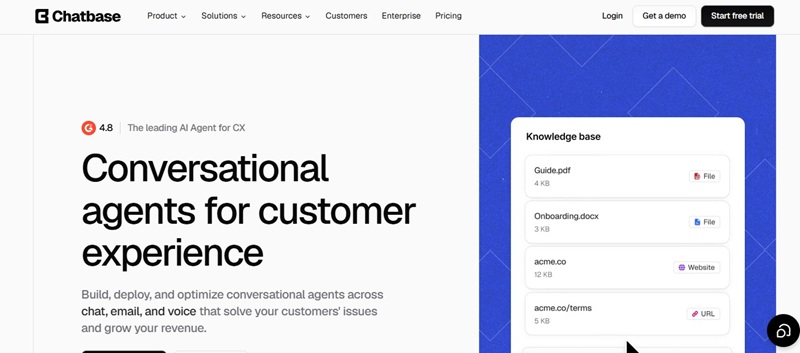
Chatbase is an AI chatbot platform designed to create assistants using a business’s own information.
Businesses can provide website URLs, documents and other knowledge sources so the chatbot can retrieve relevant information when answering visitor questions.
Key features:
-
Website content as a knowledge source.
-
Document uploads.
-
Custom chatbot instructions.
-
Website chat widget.
-
Supported application integrations.
-
API access on eligible plans.
-
Conversation analytics.
Published pricing:
| Plan | Price | Allowance |
|---|---|---|
| Free | $0/month | 50 message credits/month |
| Hobby | $40/month | 700 message credits/month |
| Standard | $150/month | 4,000 message credits/month |
Prices above are monthly billing references. Check the official pricing page for current annual discounts, plan conditions and additional credits.
Advantages:
-
Suitable for answering questions using business information.
-
Supports multiple knowledge sources.
-
Offers integrations and API functionality.
-
Useful for service businesses with extensive FAQs.
Limitations:
-
Message credits can become expensive as usage increases.
-
Some advanced capabilities require higher subscriptions.
-
The business must maintain accurate and updated source information.
Best for: Business websites, service companies, educational institutions and businesses that want visitors to ask questions about their existing website content.
2. ChatBot.com – Best for website customer service and sales
Website: https://www.chatbot.com/
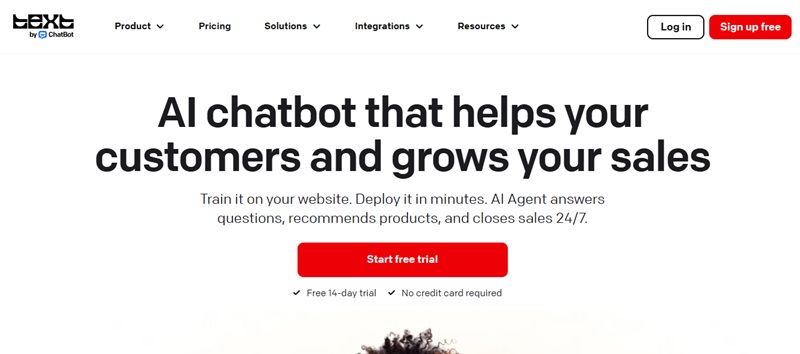
ChatBot.com, provided by Text, is a dedicated chatbot platform for businesses looking to automate customer conversations, sales enquiries and support interactions.
It combines AI capabilities with a visual chatbot builder and customer service workflows.
Key features:
-
AI-powered customer conversations.
-
Website chat widget.
-
Visual chatbot builder.
-
Workflow automation.
-
Human takeover.
-
Shared inbox and ticketing.
-
Supported messaging integrations.
-
Ecommerce-related functionality.
Published pricing:
| Plan | Price per user/month | Included AI resolutions |
|---|---|---|
| Essential | $19 annually billed | 10 |
| Growth | $79 annually billed | 200 |
| Enterprise | Custom | Custom |
ChatBot.com also offers a 14-day free trial. It does not advertise a permanent free subscription on the pricing page.
Advantages:
-
Designed for business customer conversations.
-
Combines AI and structured chatbot workflows.
-
Offers human support functionality.
-
Useful for customer service and sales operations.
Limitations:
-
AI resolutions are restricted by subscription.
-
Costs increase with additional users and usage.
-
Businesses should check integration requirements before subscribing.
Best for: Companies wanting a dedicated website chatbot for customer service, sales and ecommerce enquiries.
3. Tidio Lyro – Best for small businesses and ecommerce
Website: https://www.tidio.com/
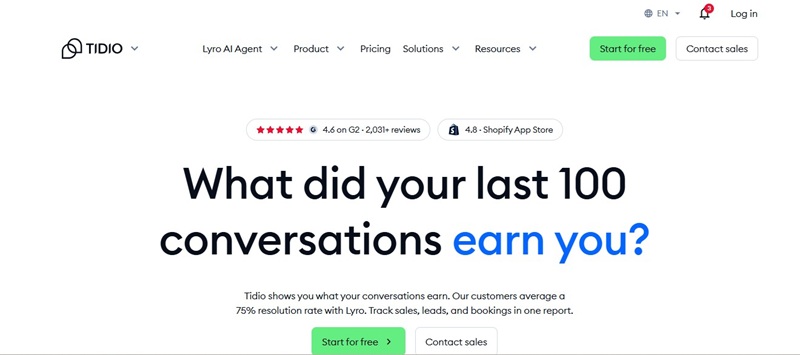
Tidio combines website live chat, customer support automation and its Lyro AI agent.
Lyro can use approved business information, including website content and other supported knowledge sources, to answer customer questions.
It also allows businesses to combine AI responses with human customer support.
Key features:
-
Lyro AI customer support agent.
-
Website live chat.
-
Knowledge-base integration.
-
Human handoff.
-
Customer support workflows.
-
Product recommendations.
-
Supported messaging integrations.
-
Customer service reporting.
Published pricing:
Tidio’s pricing depends on the selected customer conversation allowance and AI usage.
Its Free plan includes:
-
50 human conversations per month.
-
100 Flow visitors per month.
-
A one-time allowance of 50 Lyro AI conversations.
The one-time Lyro allowance is important: it should not be confused with a recurring monthly AI allowance.
Paid plans include Starter, Growth and Plus, with AI conversation quotas and additional features varying by plan.
Advantages:
-
Combines live customer support and AI.
-
Useful for online stores.
-
Supports human escalation.
-
Provides additional customer service features.
Limitations:
-
AI conversation allowances must be considered.
-
Some advanced capabilities require paid subscriptions.
-
Businesses should distinguish between human conversation limits and AI usage limits.
Best for: Small businesses, online stores and companies wanting both AI customer support and live chat.
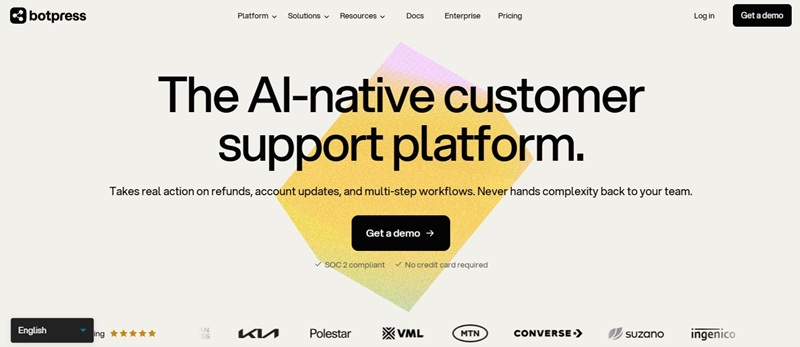
4. Botpress – Best for custom AI agents and workflows
Website: https://botpress.com/
Botpress is a platform for developing customized AI agents and conversational applications.
Unlike basic website chatbot builders, Botpress gives developers and technical teams greater control over conversation logic, integrations and workflows.
A business can configure an AI agent to answer questions, collect information, call supported tools and interact with external applications.
Key features:
-
Visual AI agent development.
-
Custom conversation workflows.
-
Knowledge-base integration.
-
API and external application integrations.
-
Website chat deployment.
-
Custom actions.
-
Multiple AI agents.
-
Workflow automation.
Published pricing:
| Plan | Price | Included conversations |
|---|---|---|
| Free | $0/month | 100 |
| Plus | $150/month, annually billed | 250/month |
| Team | $750/month, annually billed | 1,500/month |
| Enterprise | Custom | Custom |
Additional conversation and AI usage costs may apply depending on the plan.
Advantages:
-
Flexible for business-specific workflows.
-
Suitable for more complex integrations.
-
Gives technical teams greater control.
-
Can support custom business automation.
Limitations:
-
More configuration may be required.
-
Complex agents need testing and maintenance.
-
Usage and AI costs need monitoring.
Best for: Developers, software teams and businesses requiring customized AI agents and integrations.
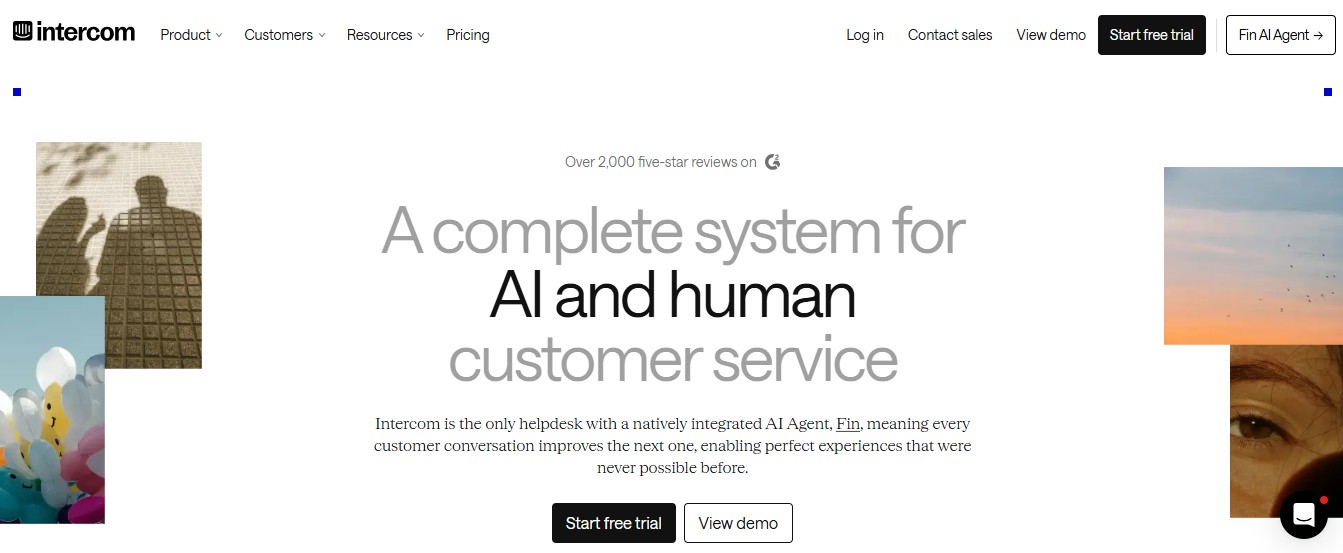
5. Intercom Fin – Best for established customer support teams
Website: https://www.intercom.com/
Intercom is a customer service platform that includes an AI agent called Fin.
Fin is designed to automate customer support conversations and work alongside human support teams.
It can use business knowledge sources, answer customer questions and perform configured procedures or handoffs.
Key features:
-
Fin AI customer support agent.
-
Shared customer support inbox.
-
Knowledge-base integration.
-
Workflow automation.
-
Human agent handoff.
-
Customer support reporting.
-
Help centre functionality.
-
Supported external integrations.
Published pricing:
Intercom’s displayed Essential annual offer starts at $19 per seat per month, while Fin AI Agent is priced from $0.99 per outcome.
These are separate pricing components.
For example, a company with three paid seats would have a subscription component of $57 per month at the displayed Essential rate, before AI outcome charges and any other applicable usage fees.
Advantages:
-
Designed for established support operations.
-
Combines human and AI customer service.
-
Offers structured support workflows.
-
Suitable for larger customer service teams.
Limitations:
-
Costs increase with team seats and AI usage.
-
More extensive than a simple website chatbot.
-
May be excessive for small businesses with limited enquiries.
Best for: SaaS companies, larger businesses and organizations managing significant customer support volumes.
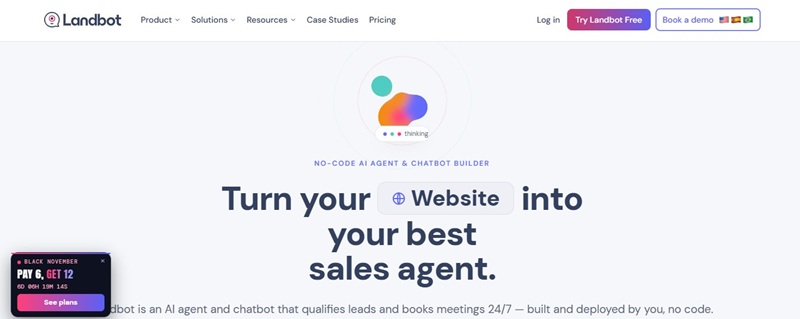
6. Landbot – Best for lead generation and visual chatbot workflows
Website: https://landbot.io/
Landbot allows businesses to create interactive chatbot experiences through a visual conversation builder.
It combines structured conversation flows with AI agents, making it useful for businesses that want to qualify leads, collect contact information and guide visitors through predefined processes.
Key features:
-
Visual drag-and-drop chatbot builder.
-
Website chatbot widgets.
-
AI-powered conversations.
-
Lead capture and qualification.
-
Conditional conversation flows.
-
Human takeover.
-
Supported WhatsApp integration.
-
CRM and automation integrations.
Published pricing:
| Plan | Price | Included allowance |
|---|---|---|
| Free | €0 | 100 chats/month; no AI chats |
| Starter | €40/month, annually billed | 500 chats/month; 100 AI chats |
| Professional | €100/month, annually billed | 2,500 chats/month; 300 AI chats |
Check the current pricing page for channel restrictions and additional charges.
Advantages:
-
Useful for lead-generation workflows.
-
Combines structured and AI conversations.
-
Visual builder is suitable for non-developers.
-
Supports interactive customer journeys.
Limitations:
-
AI usage is limited by plan.
-
Some integrations require higher subscriptions.
-
Complex backend requirements may need development.
Best for: Service companies, agencies, consultants and businesses wanting to qualify website visitors through interactive conversations.
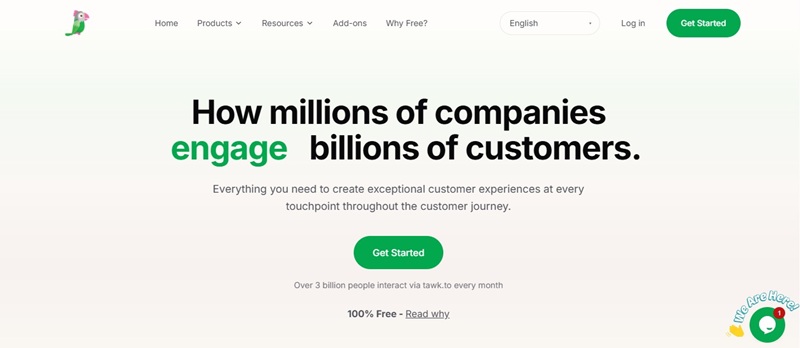
7. tawk.to AI Assist – Best for businesses starting with live chat
Website: https://www.tawk.to/
tawk.to is primarily known for its website live-chat platform.
Businesses can add a chat widget to their websites and communicate with visitors through a shared customer support interface.
Its AI Assist add-on provides AI agents and workflows that can answer questions using a business knowledge base.
Key features:
-
Website live chat.
-
AI agents.
-
Business knowledge-base training.
-
AI workflows.
-
Human handoff.
-
Team inbox.
-
Customer conversation management.
Published pricing:
-
Core tawk.to live-chat platform: Free.
-
AI Assist: $29/month.
-
Whitelabel add-on: Additional $29/month.
The free live-chat product and paid AI Assist functionality should not be treated as the same offering.
Advantages:
-
Useful starting point for live chat.
-
Optional AI functionality.
-
Combines human support and AI automation.
-
Lower entry cost for basic website chat.
Limitations:
-
AI functionality requires the additional subscription.
-
Branding removal is separately charged.
-
Businesses should evaluate its AI features against dedicated chatbot platforms.
Best for: Small businesses that want to begin with live chat and introduce AI assistance as needed.
8. CyberBot – A Sri Lankan-developed chatbot option
Website: https://www.cyberexpert.lk/solutions/cyberbot-ai-chatbot
CyberBot is an AI chatbot and customer messaging platform developed by Cyberexpert in Sri Lanka.
Its provider describes a platform designed to answer customer questions using business information and support multiple communication channels.
Features advertised by the provider:
-
AI chatbot trained on website content.
-
Document and FAQ knowledge sources.
-
Website chat widget.
-
WhatsApp Business Cloud API integration.
-
Facebook and Instagram messaging.
-
Telegram and other messaging channels.
-
Shared team inbox.
-
Lead capture.
-
Human handoff.
-
API and webhook integrations.
-
Conversation analytics.
CyberBot also describes a strict knowledge mode that can decline questions when the supplied information does not provide an answer.
Pricing: Request a quotation or demonstration from the provider. A verified public subscription price was not established for this comparison.
Advantages:
-
Developed by a Sri Lankan provider.
-
Designed for multiple customer communication channels.
-
Offers website and messaging integrations.
-
Worth evaluating for businesses preferring local technical support.
Limitations:
-
Request a demonstration before purchasing.
-
Verify subscription pricing and usage allowances.
-
Test Sinhala, Tamil and English responses using your own content.
-
Review data storage, security and service agreements.
Best for: Sri Lankan businesses looking for a locally developed website and multi-channel chatbot solution.
3. Which AI Chatbot Should You Choose?
The right chatbot depends on what you want to achieve.
| Business requirement | Recommended options | Why |
|---|---|---|
| Answer questions from website content | Chatbase, ChatBot.com | Website knowledge-base functionality |
| Combine AI and human live chat | Tidio, ChatBot.com | Customer support capabilities |
| Build custom AI workflows | Botpress | Flexible agent development |
| Manage enterprise customer support | Intercom Fin | Customer support operations |
| Generate and qualify leads | Landbot | Structured conversation flows |
| Start with free live chat | tawk.to | Free core live-chat platform |
| Explore a Sri Lankan chatbot | CyberBot | Local provider and multi-channel offering |
| Connect AI to custom business systems | Custom development | Business-specific integrations |
Best AI chatbot for a small business
Small businesses generally benefit from a chatbot that is affordable, straightforward to configure and easy to maintain.
Chatbase, Tidio and tawk.to are worth comparing.
If you primarily need answers based on website content, evaluate Chatbase.
If you want AI alongside live customer support, evaluate Tidio.
If you want to start with basic live chat, consider tawk.to.
Best AI chatbot for ecommerce websites
Ecommerce businesses need more than a chatbot that answers general questions.
A useful ecommerce chatbot should help customers with:
-
Product specifications.
-
Product recommendations.
-
Stock availability.
-
Delivery information.
-
Return policies.
-
Order tracking.
-
Payment-related questions.
Tidio, ChatBot.com and custom integrations are worth evaluating.
For WooCommerce websites, check whether the chatbot can access the actual product catalogue and order information.
A chatbot trained only on product descriptions cannot reliably confirm live stock availability or retrieve a customer’s order status. These functions generally require suitable ecommerce integration and access permissions.
Best AI chatbot for hotels and travel agencies
Travel businesses receive enquiries about destinations, tour packages, hotel facilities, airport transfers and bookings.
A suitable chatbot should understand business services and collect the information needed for a quotation.
For example, a visitor might ask:
“Can you arrange a 10-day private Sri Lanka tour for two adults arriving in Colombo?”
The chatbot could collect:
-
Arrival and departure dates.
-
Number of travellers.
-
Preferred destinations.
-
Accommodation preferences.
-
Budget range.
-
Contact information.
It could then send the enquiry to the travel company’s sales team.
Landbot, Chatbase with suitable integrations, CyberBot and custom development are options worth investigating.
Best AI chatbot for service companies
Professional service companies, web development agencies and consultants can use chatbots to qualify enquiries.
A web development company, for example, could ask:
-
What type of website do you need?
-
Is it a business website or ecommerce website?
-
Do you already have a domain?
-
Do you need payment gateway integration?
-
When would you like to launch?
-
What is your approximate project budget?
Landbot is worth evaluating for structured lead qualification. Botpress or custom development may be more suitable for complex integrations.
4. Important Features to Consider Before Choosing an AI Website Chatbot
Comparing chatbot software by price alone can lead to the wrong decision.
Two platforms may have similar subscription prices but very different usage limits, integrations and automation capabilities.
Before purchasing, evaluate these features.
1. Website content training
Check whether the platform supports:
-
Website URLs.
-
Sitemap crawling.
-
PDF documents.
-
Word documents.
-
FAQ databases.
-
Product catalogues.
-
Manually entered information.
Also investigate how the knowledge base is updated.
For example, if your business changes its delivery policy, how quickly will the chatbot receive that update?
Can the platform automatically synchronize website content, or must you manually retrain the chatbot?
2. Sinhala, Tamil and English language support
This is particularly important for businesses operating in Sri Lanka.
Do not assume that a platform advertising multilingual support will communicate accurately in every language.
Test it using:
-
English questions.
-
Sinhala written in Sinhala script.
-
Tamil written in Tamil script.
-
Singlish written using English characters.
-
Mixed-language questions.
For example:
“Colombo idan Kandy yanna private vehicle ekak thiyenawada?”
Check whether the chatbot understands the request, provides accurate information and maintains the conversation naturally.
No platform should be selected solely because it claims multilingual support. Test it using real customer questions.
3. WhatsApp integration
Many Sri Lankan businesses receive enquiries through WhatsApp.
Before purchasing, check:
-
Whether official WhatsApp Business Platform integration is supported.
-
Whether additional subscriptions are required.
-
Whether Meta messaging charges apply.
-
Whether conversations appear in a shared inbox.
-
Whether employees can take over conversations.
-
Whether the chatbot can manage both website and WhatsApp enquiries.
4. Human handoff
AI should not be expected to resolve every customer enquiry.
A good chatbot should transfer complicated questions, complaints and sensitive requests to a human employee.
Ideally, the employee should receive the conversation history and relevant customer information.
5. CRM and business application integrations
Check whether the chatbot works with your existing tools.
Examples include:
-
HubSpot.
-
Salesforce.
-
Google Sheets.
-
WooCommerce.
-
Shopify.
-
WhatsApp Business.
-
Calendly.
-
Email marketing software.
API and webhook support may be important when connecting the chatbot to a custom application.
6. Security and customer data protection
A chatbot may collect names, email addresses, telephone numbers, order details and other personal information.
Before implementing one, review:
-
Where customer conversations are stored.
-
Whether conversations are used for AI model training.
-
Who can access customer information.
-
Data retention and deletion policies.
-
Encryption and access controls.
-
Available data-processing agreements.
-
Third-party AI model providers.
-
Data export and account deletion options.
Sri Lankan businesses should review applicable requirements under the Personal Data Protection Act and obtain appropriate legal advice for their data-processing activities.
Refer to the Data Protection Authority of Sri Lanka for official information.
7. Mobile compatibility and website performance
Your chatbot should:
-
Display correctly on mobile screens.
-
Avoid covering important buttons.
-
Be easy to open and close.
-
Avoid interfering with contact forms and checkout.
-
Load without noticeably slowing the website.
-
Work across common mobile browsers.
Test the chatbot on your actual website before making it available to every visitor.
8. Analytics and reporting
Look for reporting features such as:
-
Number of conversations.
-
Frequently asked questions.
-
Leads captured.
-
Conversations transferred to employees.
-
Unanswered questions.
-
Customer satisfaction.
-
AI resolution rate.
These reports can help you identify missing website information and improve customer support.
5. How Much Does an AI Chatbot Cost in Sri Lanka?
AI chatbot costs depend on whether you choose a ready-made platform or develop a custom solution.
Most international providers charge in USD or EUR. Sri Lankan businesses should therefore consider exchange-rate changes, applicable taxes and international payment fees.
AI chatbot subscription pricing comparison
| Platform | Free option | Paid pricing reference |
|---|---|---|
| Chatbase | 50 message credits/month | $40/month Hobby |
| ChatBot.com | 14-day trial | $19/user/month Essential, annual billing |
| Tidio | Free live chat; 50 one-time Lyro AI conversations | Paid plans vary |
| Botpress | 100 conversations/month | $150/month Plus, annual billing |
| Intercom Fin | Trial availability | $0.99 per outcome plus seat subscription where applicable |
| Landbot | 100 chats/month; no AI chats | €40/month Starter, annual billing |
| tawk.to | Free live chat | $29/month AI Assist |
| CyberBot | Confirm with provider | Request a quotation |
Pricing references checked in November 2026. They are not equivalent usage allowances: a message credit, chat, conversation and AI resolution are different billing units.
What is the difference between messages, conversations and AI resolutions?
This distinction is important when comparing subscription prices.
-
Message: An individual communication within a chat. A single conversation may contain multiple messages.
-
Conversation or chat: A session or thread between a visitor and the chatbot, defined according to the provider’s billing rules.
-
AI resolution or outcome: A customer issue that the provider considers resolved by the AI agent under its billing definition.
For example, a customer might send five messages during one conversation. One platform may charge by message credits, while another may count the interaction as one conversation or one resolved outcome.
Therefore, the cheapest advertised subscription is not necessarily the cheapest option for your expected usage.
Additional costs to consider
Other expenses may include:
-
Additional AI message credits.
-
Premium AI model usage.
-
WhatsApp messaging charges.
-
CRM integration.
-
Custom API development.
-
Website installation.
-
Chatbot customization.
-
Ongoing maintenance.
Ready-made chatbot vs custom AI chatbot development
| Factor | Ready-made platform | Custom development |
|---|---|---|
| Initial setup | Usually faster | Requires development |
| Initial investment | Usually lower | Depends on complexity |
| Customization | Limited by platform | Greater flexibility |
| Integrations | Supported integrations and APIs | Designed around requirements |
| Monthly subscription | Usually applicable | Depends on hosting and AI architecture |
| Maintenance | Shared with vendor | Requires a technical team |
| Vendor dependency | Usually higher | Can be reduced with suitable architecture |
A ready-made chatbot is generally the practical starting point for a business that only needs FAQ automation and basic lead capture.
Custom development may be more appropriate when you need live inventory checks, booking workflows, customer account access or integrations with proprietary software.
The right comparison is the total cost of ownership, not simply the initial subscription price.
6. How to Add an AI Chatbot to Your Website
Most modern chatbot platforms offer installation methods that do not require extensive programming.
The process depends on the chatbot provider and your website technology.
Step 1: Select a chatbot platform
Choose a platform based on your requirements.
For example:
-
Website knowledge-base chatbot: Chatbase.
-
AI and live customer support: Tidio.
-
Custom AI workflows: Botpress.
-
Lead-generation chatbot: Landbot.
Check the platform’s integrations, usage limits and support options before subscribing.
Step 2: Prepare your business knowledge base
Collect the information your chatbot needs.
This may include:
-
About Us page.
-
Services and product pages.
-
Frequently asked questions.
-
Pricing information.
-
Delivery policies.
-
Return and refund policies.
-
Terms and conditions.
-
Contact information.
Remove outdated information and resolve inconsistencies before uploading these sources.
Step 3: Configure the chatbot
Set up:
-
Chatbot name.
-
Brand colours.
-
Welcome message.
-
Response instructions.
-
Supported languages.
-
Business knowledge sources.
-
Human handoff rules.
For example, a web development company’s welcome message could be:
“Hello! Welcome to our website. Are you looking for a business website, ecommerce website or custom web application?”
Step 4: Install the chatbot on your website
Most providers generate an installation code snippet.
Depending on the platform, you can generally install it using:
-
A WordPress plugin.
-
An Elementor HTML widget.
-
Website header or footer code.
-
Google Tag Manager, where supported.
-
A custom website integration.
For WordPress websites, follow the provider’s official installation instructions and test the widget on desktop and mobile.
Step 5: Connect business applications
Depending on your requirements, connect the chatbot to:
-
WhatsApp Business.
-
CRM software.
-
Email notifications.
-
Google Sheets.
-
Ecommerce systems.
-
Booking applications.
If the chatbot needs to retrieve live data, such as stock availability or booking slots, you may need API integration rather than simply uploading website content.
Step 6: Test the chatbot before publishing
Use real customer questions to test its responses.
For example:
| Test question | Expected result |
|---|---|
| Do you deliver to Kandy? | Correct delivery information |
| Can I return a damaged item? | Accurate return policy |
| Is this product available? | Verified stock information |
| Can I speak to someone? | Human handoff |
| What is your delivery charge? | Correct delivery charge |
| Do you deliver on weekends? | Accurate business policy |
Also test questions that are not covered by the knowledge base.
The chatbot should acknowledge when it does not know an answer rather than inventing information.
Step 7: Monitor and improve chatbot performance
After publishing, review conversations regularly.
Look for:
-
Questions the chatbot cannot answer.
-
Incorrect or incomplete responses.
-
Repeated customer complaints.
-
Frequently requested products or services.
-
Conversations requiring human assistance.
Use these findings to improve your website content, knowledge base and chatbot instructions.
7. How to Measure Whether Your AI Chatbot Is Working
Installing a chatbot does not automatically mean it is improving your business.
You should measure whether it is helping visitors and generating useful business outcomes.
Consider tracking these metrics:
| Metric | What it tells you |
|---|---|
| Total conversations | How frequently visitors use the chatbot |
| Qualified leads | How many relevant business enquiries are collected |
| Lead conversion rate | Percentage of conversations producing a qualified lead |
| Human handoff rate | How often visitors require an employee |
| AI resolution rate | How many issues are resolved by AI under the provider’s definition |
| Unanswered questions | Which information is missing from the knowledge base |
| Customer satisfaction | Whether visitors find the interaction helpful |
For example, if a chatbot handles 200 conversations and generates 20 qualified enquiries, its qualified lead rate is:
20 ÷ 200 × 100 = 10%
This is an illustrative calculation, not an industry benchmark.
You should also compare chatbot-assisted leads with leads generated through existing contact forms, email and telephone enquiries.
The objective is not to maximize chatbot conversations. It is to improve customer experience and produce useful business outcomes.
8. Advantages and Disadvantages of AI Chatbots for Business Websites
AI chatbots offer several benefits, but they also have limitations.
Advantages
24/7 customer assistance
Visitors can ask questions outside normal business hours, which is useful for companies receiving international enquiries.
Faster responses
Customers can receive immediate answers to common questions rather than waiting for email replies.
Lead generation
A chatbot can ask qualifying questions and collect contact details from interested visitors.
Reduced repetitive work
Employees can spend less time answering repeated questions about prices, services and business policies.
Improved customer experience
Visitors can find relevant information without navigating through multiple website pages.
Business insights
Conversation reports can reveal common questions, missing information and customer needs.
Disadvantages
Incorrect AI responses
AI models can generate inaccurate answers, even when connected to business information.
Ongoing costs
Subscriptions, message credits, AI usage and integrations can increase operating expenses.
Limited understanding
Some chatbots struggle with complicated questions, unusual requests and poorly structured information.
Privacy concerns
Businesses must manage customer information carefully and review the provider’s data policies.
Integration challenges
Connecting a chatbot to a custom CRM, inventory system or booking application may require technical development.
Human support is still necessary
Complaints, sensitive enquiries and complicated customer requests often require a real employee.
The best approach is to use AI for repetitive conversations while allowing human employees to handle situations requiring judgement and personal attention.
9. Frequently Asked Questions About AI Chatbots for Websites
What is the best AI chatbot for websites?
The best option depends on your requirements. Chatbase is worth considering for website-trained AI assistants, Tidio for combined AI and live chat, Botpress for custom workflows and Intercom Fin for established customer support teams.
Are there free AI chatbots for websites?
Yes. Platforms such as Chatbase, Tidio, Botpress, Landbot and tawk.to offer free access or free starting plans. However, their AI allowances differ. Some free plans provide live chat without recurring AI usage.
Can I add ChatGPT to my website?
Yes. You can develop a website chatbot using an AI model through an API or use a third-party platform that integrates AI models into a website chat widget.
A ChatGPT subscription should not be confused with the API usage and deployment costs of running a chatbot on your own website.
Can an AI chatbot learn from my website?
Yes. Many chatbot platforms allow you to provide website URLs, documents and FAQs as knowledge sources.
The platform processes this information and uses it to retrieve relevant content when answering customer questions.
The exact indexing, synchronization and update methods vary by provider.
Do AI chatbots support Sinhala and Tamil?
Some AI models and chatbot platforms can communicate in Sinhala and Tamil. However, accuracy depends on the model, configuration and knowledge-base quality.
Businesses in Sri Lanka should test Sinhala script, Tamil script and Singlish before selecting a platform.
How much does an AI chatbot cost in Sri Lanka?
Costs depend on the platform, subscription, AI usage, integrations and implementation requirements.
Some platforms offer free plans, while paid subscriptions can range from relatively inexpensive live-chat add-ons to more expensive customer support systems.
Custom development costs depend on the required functionality and integrations.
Can an AI chatbot integrate with WhatsApp?
Yes. Several platforms offer WhatsApp integrations, including ChatBot.com, Tidio, Landbot and CyberBot.
However, integration methods, subscription requirements and WhatsApp messaging charges differ between providers.
Can I use an AI chatbot on WordPress?
Yes. Many chatbot platforms provide WordPress plugins, installation code or other integration options.
Always check compatibility with your theme, page builder and existing plugins.
Can an AI chatbot generate leads?
Yes. A chatbot can ask visitors about their requirements, collect contact information and send qualified enquiries to a sales team or CRM.
For better results, ask relevant questions before requesting personal information and make it easy for visitors to speak to a human.
Do I need a developer to install an AI chatbot?
Not always. Many ready-made platforms provide plugins or copy-and-paste installation code.
However, a developer may be needed for custom integrations, live database access, advanced workflows or specialized security requirements.
Can I change chatbot providers later?
Usually, you can replace a chatbot platform, but the process depends on how the existing solution was implemented.
Before choosing a provider, check whether you can export conversation history, knowledge-base content, leads and configuration data.
If your chatbot is connected to a CRM, WooCommerce or another application, make sure those integrations can be disconnected and transferred without losing important business data.
10. Final Verdict: Which AI Chatbot Should You Choose?
There is no universal winner when selecting the best AI chatbot for websites.
Your decision should depend on the number of enquiries your business receives, the type of information the chatbot needs to access, your integration requirements and your available budget.
Here is our final shortlist:
-
Chatbase: For businesses wanting an AI assistant trained on website content and documents.
-
ChatBot.com: For website customer service and sales automation.
-
Tidio: For businesses combining AI support and live chat.
-
Botpress: For customized AI agents and workflows.
-
Intercom Fin: For established customer support teams.
-
Landbot: For structured lead-generation conversations.
-
tawk.to: For businesses starting with free live chat and optional AI.
-
CyberBot: For businesses evaluating a locally developed multi-channel chatbot.
If your requirements involve basic FAQ automation, a ready-made chatbot is generally the sensible starting point.
If you need live stock checks, order management, booking automation or integrations with proprietary business systems, consider whether custom AI chatbot development would be more appropriate.
Need help integrating AI into your business website?
Choosing a chatbot is only one part of the process. It also needs to fit your website design, customer journey, business applications and existing workflows.
Tectera is a Sri Lankan web development and technology company offering website design, ecommerce development, web application development and software product development.
If you are planning to add AI capabilities to an existing website or build a customized digital solution, discuss your requirements with the Tectera team.
Planning an AI-powered website?
Discuss your website requirements, chatbot functionality and integration needs with Tectera.
Contact Tectera to discuss your project.
You can also explore:

