
Choosing the right platform is an important decision when creating a website. Whether you run a small business, manage a company, sell products online or publish articles, your website platform can affect its design, performance, security, maintenance and long-term costs.
WordPress is one of the most widely used website platforms because it offers flexibility, content management tools, themes, plugins and support for different types of websites. However, it also comes with responsibilities such as software updates, security, backups and hosting management.
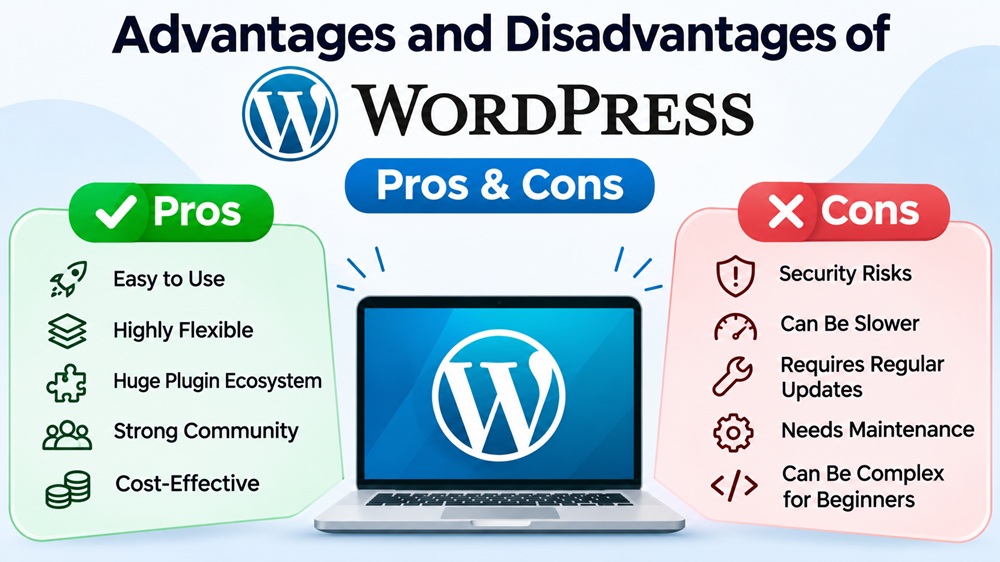
The main advantages of WordPress are its flexibility, customisation options, content management features, SEO capabilities and support for eCommerce. Its disadvantages include ongoing maintenance, potential security risks, plugin compatibility issues, performance optimisation requirements and additional costs.
For many Sri Lankan businesses, WordPress can be a practical website solution. However, the best platform depends on your budget, technical requirements and how much control you want over your website.
This guide explains the advantages and disadvantages of WordPress and helps you decide whether it is suitable for your business.
What Is WordPress?
WordPress is a free, open-source content management system (CMS) that allows users to create, manage and publish website content.
Originally introduced as a blogging platform in 2003, WordPress has developed into a flexible system used for business websites, blogs, portfolios, online stores, membership websites and other digital projects.
Instead of developing every website feature from scratch, developers can use WordPress as a foundation and customise it with themes, plugins and additional code.
A WordPress website can include:
-
A homepage introducing a business.
-
Service and product pages.
-
A blog or resource centre.
-
Contact forms and enquiry systems.
-
Search engine optimisation features.
-
An online store using WooCommerce.
-
Payment gateway integrations.
-
Customer registration and account functionality.
WordPress is commonly used with a domain name and web hosting account. Once installed, website administrators can manage pages, posts, images, products and other content through the WordPress dashboard.
WordPress.org vs WordPress.com
Before considering the advantages and disadvantages, it is important to understand the difference between WordPress.org and WordPress.com.
| Feature | WordPress.org | WordPress.com |
|---|---|---|
| Platform | Open-source WordPress software | Hosted WordPress service |
| Hosting | Arrange your own hosting | Hosting included |
| Domain | Register separately | Depends on the plan |
| Plugins | Install compatible plugins | Availability depends on plan |
| Customisation | Extensive control | Depends on plan |
| Maintenance | Your responsibility or your provider’s | Many technical tasks are managed |
| Technical responsibility | Generally higher | Generally lower |
WordPress.org provides the open-source software that you can install on a hosting account of your choice. It gives you considerable control over your website, hosting environment, themes, plugins and customisation.
WordPress.com is a hosted service that manages much of the underlying website infrastructure. Its available features and customisation options depend on the selected plan.
For businesses that need greater control over website functionality, hosting and integrations, self-hosted WordPress is often worth considering.
What Are the Advantages of WordPress?
WordPress offers several benefits for individuals, entrepreneurs and businesses. Here are the main advantages to consider.
1. Free and Open-Source Software
One of the biggest advantages of WordPress is that its core software is free to download and use.
WordPress is distributed under the GNU General Public License (GPL). This allows developers to study, modify and distribute the software under the licence terms.
Businesses benefit from:
-
No mandatory licence fee for the WordPress core software.
-
Freedom to customise website functionality.
-
Access to free and paid themes and plugins.
-
Flexibility to choose compatible hosting providers.
-
The ability to work with different WordPress developers.
For example, a small business in Colombo can build a company website using WordPress without purchasing a proprietary CMS licence.
However, free software does not mean a completely free website. Domain registration, hosting, premium plugins, development and maintenance may involve additional expenses.
The main benefit is that you do not have to pay a software licence fee to use the WordPress core.
2. Easy Content Management
WordPress allows website owners to manage content through its administration dashboard without directly editing website code.
Users can create pages, publish blog posts, upload images, edit text and organise website content.
Its block editor, commonly known as Gutenberg, allows users to build content using blocks such as headings, paragraphs, images, buttons, columns and lists.
Visual page builders such as Elementor provide additional design controls for creating page layouts and custom sections.
Example: A restaurant owner in Sri Lanka can update a menu, publish special offers, add photographs and change contact information without asking a developer to make every small content change.
This is particularly useful for businesses that regularly update their websites.
However, content management is different from technical maintenance. Complex design changes, integrations and troubleshooting may still require professional assistance.
3. Flexible Design and Customisation
WordPress offers considerable flexibility when designing a website.
Website owners can select themes, customise layouts, adjust colours and typography, and develop unique page designs. Developers can also extend functionality using HTML, CSS, JavaScript and PHP.
This allows businesses to create websites around their brand identity and requirements rather than relying entirely on a fixed template.
For example:
-
A hotel can display rooms, facilities, galleries and booking enquiries.
-
A construction company can showcase projects and completed developments.
-
A professional service provider can create dedicated service pages and enquiry forms.
-
An educational institution can publish courses, admissions information and learning resources.
The level of customisation depends on the selected theme, plugins, hosting environment and development work.
4. Extensive Themes and Plugins
Themes and plugins are important parts of the WordPress ecosystem.
A theme controls the general appearance and layout of a website, while plugins add functionality.
Examples of commonly used WordPress themes and tools include Astra, GeneratePress, Kadence, Blocksy and Hello Elementor.
Common plugin categories include:
| Requirement | Example tools |
|---|---|
| SEO | Yoast SEO, Rank Math |
| Page building | Elementor |
| eCommerce | WooCommerce |
| Contact forms | Contact Form 7, WPForms |
| Security | Wordfence |
| Caching | WP Rocket, LiteSpeed Cache |
| Backups | UpdraftPlus |
| Image optimisation | ShortPixel |
A business can start with a basic website and add functionality as its requirements change. This might include appointment booking, multilingual content, product filtering, customer accounts or CRM integrations.
However, installing more plugins does not automatically make a website better. Select plugins based on actual requirements, developer reputation, compatibility, security and ongoing support.
5. WordPress Provides Useful SEO Features
WordPress offers several features that can support search engine optimisation.
These include:
-
Customisable URL structures.
-
Organised pages and blog posts.
-
Categories and tags.
-
Image alt text.
-
XML sitemap support.
-
SEO plugin integrations.
-
Options for implementing structured data.
-
Support for responsive website themes.
Plugins such as Yoast SEO and Rank Math can help manage page titles, meta descriptions, canonical URLs and other SEO-related settings.
For example, a Sri Lankan web design company can publish useful articles targeting searches such as “website design cost in Sri Lanka” and create dedicated service pages to attract relevant visitors.
However, WordPress does not automatically make a website rank on Google’s first page. Search visibility depends on content quality, search intent, technical SEO, competition, website authority and user experience.
WordPress provides useful tools, but an effective SEO strategy is still necessary.
6. Supports Different Types of Websites
WordPress can support many types of websites without requiring a completely different CMS for every project.
| Website type | Possible functionality |
|---|---|
| Business website | Company information, services and enquiries |
| Blog | Articles, categories and author management |
| eCommerce website | Products, shopping carts and checkout |
| Portfolio | Projects, galleries and case studies |
| Hotel website | Room listings and booking integrations |
| Educational website | Courses and learning management |
| Membership website | Registration and restricted content |
| News website | Editorial publishing and categories |
| Real estate website | Property listings and enquiry forms |
| Travel website | Tour packages, itineraries and booking enquiries |
For example, a Sri Lankan travel company can use WordPress to publish destination guides, display tour packages and collect enquiries. A retailer can use WooCommerce to manage products and online orders.
This versatility makes WordPress a practical choice for many businesses.
7. WooCommerce Supports Online Stores
WooCommerce is an open-source eCommerce platform that works with WordPress.
It allows businesses to turn a standard website into an online store and manage:
-
Product listings and categories.
-
Product variations.
-
Shopping carts and checkout.
-
Customer accounts.
-
Orders and inventory.
-
Shipping options.
-
Payment integrations.
-
Store management.
For example, a Sri Lankan retailer can create an online store to sell groceries, clothing, electronics or locally manufactured products.
WooCommerce can also integrate with payment providers. PayHere, for example, provides a WooCommerce integration. However, merchants should confirm account eligibility, supported payment methods, transaction fees and configuration requirements with their chosen provider.
An online store requires more than installing WooCommerce. Payment configuration, shipping rules, inventory management, order emails, security and checkout testing must also be handled properly.
8. Third-Party Integrations and Development Flexibility
Businesses often need their websites to communicate with other applications and services.
WordPress supports integrations through plugins, APIs and custom development.
Examples include:
-
Google Analytics 4.
-
Google Search Console.
-
Google Tag Manager.
-
Meta Pixel.
-
Email marketing platforms.
-
Customer relationship management systems.
-
WhatsApp integrations.
-
Online payment gateways.
-
Booking and reservation platforms.
A business can connect its website with analytics tools to understand visitor behaviour and measure enquiries. Contact forms can also be integrated with a CRM to organise potential customers.
These integrations can reduce manual work and improve business operations.
However, some integrations require subscriptions, configuration, API access or custom development.
9. Large Developer Community and Learning Resources
WordPress has a large global community of developers, designers, contributors and website owners.
Website owners can access:
-
Official WordPress documentation.
-
Community support forums.
-
Developer resources.
-
Tutorials and online courses.
-
Theme and plugin documentation.
-
Local and international WordPress communities.
This ecosystem can make it easier to find help for common problems and locate developers who have experience working with WordPress.
However, not every solution found online is reliable. Use trusted documentation and reputable developers when making changes to a business-critical website.
10. Hosting Flexibility and Long-Term Control
Self-hosted WordPress gives businesses significant control over their website environment.
Website owners can select a hosting provider, configure their website, choose compatible plugins and themes, and work with different development teams.
If a business becomes dissatisfied with its hosting provider, it can generally migrate its WordPress website to another compatible hosting environment.
Website files and databases can also be backed up and transferred.
This flexibility is valuable for businesses that want long-term control over their digital assets.
However, ownership also brings responsibilities. Businesses should maintain access to their domain, hosting account, website files and database backups.
What Are the Disadvantages of WordPress?
Although WordPress has many advantages, it also has limitations. Businesses should understand these responsibilities before choosing the platform.
1. Regular Maintenance and Updates Are Required
Self-hosted WordPress websites require ongoing maintenance.
The WordPress core software, themes and plugins receive updates to introduce improvements, fix bugs and address security issues.
Maintenance responsibilities may include:
-
Updating WordPress core.
-
Updating themes and plugins.
-
Checking website functionality after updates.
-
Monitoring security notifications.
-
Reviewing backups.
-
Testing contact forms and checkout functionality.
-
Monitoring website errors.
An update can occasionally affect a page layout or interfere with another plugin.
To reduce this risk, take backups before significant updates and use a staging environment to test important changes before applying them to the live website.
2. Security Needs Ongoing Attention
Security is an important consideration when managing a WordPress website.
Because WordPress websites often use themes, plugins, third-party integrations and hosting infrastructure, security depends on more than the core software alone.
Common risks include:
-
Outdated plugins and themes.
-
Weak administrator passwords.
-
Compromised user accounts.
-
Vulnerable third-party software.
-
Poor hosting configurations.
-
Malware infections.
-
Unnecessary user permissions.
An outdated plugin with a known vulnerability, for example, may create an opportunity for attackers to compromise a website.
This does not mean every WordPress website is insecure. Security depends on how the website is developed, configured, hosted and maintained.
Use reputable hosting, keep software updated, enable appropriate account protection, limit administrator access and maintain independent backups.
Businesses that collect customer information or process payments should give website security particular attention.
3. Performance Optimisation May Be Necessary
WordPress is not automatically slow. However, poorly configured websites can experience performance problems.
Common causes include:
-
Poor-quality hosting.
-
Oversized images.
-
Unnecessary plugins.
-
Bloated themes.
-
Unoptimised JavaScript and CSS.
-
Missing caching.
-
Excessive third-party scripts.
For example, a business website with large uncompressed photographs, several tracking scripts and unnecessary page-builder elements may take longer to load.
To improve performance:
-
Choose suitable hosting.
-
Compress and resize images.
-
Use an appropriate caching solution.
-
Remove unnecessary plugins.
-
Use a lightweight theme.
-
Optimise CSS and JavaScript.
-
Consider a content delivery network where appropriate.
-
Monitor Core Web Vitals.
Use Google PageSpeed Insights and Search Console to assess performance instead of judging a website solely by the number of installed plugins.
4. Premium Themes, Plugins and Services Can Increase Costs
Although WordPress core is free, some advanced features require paid themes, plugins or third-party services.
Examples include:
-
Premium page builders.
-
Advanced booking systems.
-
Membership functionality.
-
Security and backup services.
-
Advanced eCommerce extensions.
-
CRM and marketing integrations.
Some tools also require recurring subscriptions.
A business might initially use free tools but later need paid functionality for appointment bookings, advanced product filtering or CRM integration.
Plan the required functionality before development begins. Avoid purchasing several plugins that perform overlapping tasks.
5. Plugin and Theme Compatibility Problems
WordPress relies on themes and plugins to provide much of its flexibility. However, these components are developed by different companies and individuals.
Not every plugin is guaranteed to work perfectly with every theme, WordPress release or other installed plugin.
Potential problems include:
-
Broken page layouts.
-
Contact forms not working.
-
Checkout errors.
-
Website display issues.
-
PHP errors.
-
Unexpected changes to functionality.
Choose actively maintained plugins from reputable developers. Check compatibility information, update history and support documentation. Test significant changes on a staging website.
This is particularly important for eCommerce websites that depend on working checkout and payment systems.
6. Advanced Customisation Can Require Technical Knowledge
WordPress makes routine content management relatively straightforward. However, advanced customisation is different.
Businesses may need technical expertise for:
-
Custom functionality.
-
Advanced database operations.
-
API integrations.
-
Complex search and filtering.
-
Membership systems.
-
Specialised checkout workflows.
-
Performance improvements.
These tasks may require knowledge of PHP, JavaScript, CSS, HTML and WordPress development practices.
For example, a company that needs a specialised quotation system connected to its internal software may require custom development rather than a standard plugin.
This can increase development costs and project timelines.
7. Hosting and Backups Need Proper Planning
With self-hosted WordPress, website owners must arrange their own web hosting.
Hosting quality can influence website availability, loading speed, server response time, security and the ability to handle traffic.
Choosing the cheapest hosting package without considering the website’s requirements can create problems as the business grows.
WordPress owners must also plan for data loss caused by accidental deletion, failed updates, malware or server problems.
A proper backup strategy should include:
-
Website files.
-
Database.
-
Uploaded media.
-
Backup frequency.
-
Off-site backup storage.
-
Recovery procedures.
A backup should not simply exist; it should also be possible to restore it successfully.
Before selecting a hosting provider, check its current WordPress requirements, available resources, security features, backup facilities and technical support.
You can review the official WordPress hosting requirements before choosing a hosting environment.
8. WordPress Is Not Ideal for Every Application
WordPress is suitable for many content-driven websites and business projects. However, not every digital product should be built using a traditional CMS.
Some projects require specialised functionality, such as:
-
Complex enterprise workflows.
-
Real-time applications.
-
Specialised SaaS platforms.
-
Complex data processing.
-
Advanced backend architecture.
For these requirements, custom application development using technologies such as Laravel, React, Node.js or other suitable frameworks may provide a more appropriate architecture.
This does not mean WordPress cannot integrate with modern applications. The correct choice depends on the project’s actual technical requirements.
Advantages and Disadvantages of WordPress: Quick Comparison
| Advantages | Disadvantages |
|---|---|
| Free and open-source core software | Hosting and other expenses are separate |
| Easy content management | Advanced features require learning |
| Flexible website customisation | Complex changes may require developers |
| Extensive themes and plugins | Compatibility problems can occur |
| Useful SEO features | SEO results are not guaranteed |
| eCommerce support through WooCommerce | Online stores need additional management |
| Suitable for many website types | Not ideal for every complex application |
| Large developer community | Support quality varies |
| Hosting flexibility | Hosting management is required |
| Can grow with business needs | Scaling may require technical investment |
The important point is that many WordPress disadvantages can be managed through good planning, appropriate development, reliable hosting and ongoing maintenance. However, these measures still require time, money and technical resources.
How Much Does a WordPress Website Cost in Sri Lanka?
One common misconception is that WordPress websites are completely free.
Although the WordPress core software is free, building and maintaining a professional website involves several expenses.
The total cost for a Sri Lankan business depends on the website type, design complexity, functionality, content requirements and ongoing support.
Main WordPress Website Expenses
| Expense | What it covers |
|---|---|
| Domain registration | Your website address, such as example.lk or example.com |
| Web hosting | Server space and resources |
| Website development | Design, development and initial configuration |
| Premium theme | Optional advanced design features |
| Premium plugins | Optional additional functionality |
| Maintenance | Updates, backups and monitoring |
| SEO services | Keyword research, technical SEO and content optimisation |
Indicative Website Development Costs in Sri Lanka
The following are planning estimates published in Tectera’s website design cost guide. They are not official industry averages or guaranteed quotations.
| Website type | Indicative development budget |
|---|---|
| One-page website | LKR 30,000–80,000 |
| Small business website | LKR 50,000–200,000 |
| Corporate website | LKR 150,000–600,000+ |
| eCommerce website | LKR 150,000–1,200,000+ |
| Custom web application | LKR 300,000–3,000,000+ |
These estimates vary according to design requirements, functionality, integrations and development complexity.
A basic WordPress business website may require a relatively modest initial investment. An advanced eCommerce website with product variations, payment gateway integration, custom checkout features and inventory management requires considerably more work.
For a detailed explanation of pricing factors, read our guide to website design costs in Sri Lanka.
You can also compare available web design packages in Sri Lanka to understand the differences in scope, features and development services.
Is WordPress Good for SEO?
Yes. WordPress provides a useful foundation for search engine optimisation when configured and managed correctly.
Its content management features make it easier to publish articles, organise pages, manage URLs and implement SEO improvements.
For businesses targeting Google searches in Sri Lanka, WordPress can support:
-
Keyword-targeted service pages.
-
Informative blog content.
-
Custom page titles and meta descriptions.
-
Search-friendly URL structures.
-
XML sitemaps.
-
Image optimisation.
-
Internal linking.
-
Structured data implementation.
-
Mobile-friendly layouts.
Plugins such as Yoast SEO and Rank Math can simplify several technical and on-page SEO tasks.
However, installing an SEO plugin does not automatically make a website search-engine friendly.
A successful WordPress SEO strategy still requires keyword research, useful content, search-intent alignment, technical SEO, internal linking, performance optimisation and ongoing improvements.
For example, a company targeting “web design in Sri Lanka” needs more than an SEO plugin. It needs a useful service page, relevant supporting content, appropriate internal links and a website that provides a good user experience.
WordPress vs Wix vs Shopify vs Custom Website Development
WordPress is not the only option for building a website. The right platform depends on the website’s purpose, required functionality, budget and the level of control the owner wants.
| Feature | WordPress | Wix | Shopify | Custom development |
|---|---|---|---|---|
| Main purpose | Flexible CMS | Hosted website builder | eCommerce platform | Bespoke applications and websites |
| Ease of use | Moderate | Generally easy | Generally easy for stores | Depends on the system |
| Customisation | Extensive | Platform-dependent | Extensive within its ecosystem | Depends on architecture |
| Hosting | Separate for self-hosted WordPress | Included | Included | Depends on architecture |
| eCommerce | WooCommerce | Built-in commerce features | Core focus | Built to requirements |
| Maintenance | Owner or service provider | Much infrastructure is managed | Much infrastructure is managed | Development team or owner |
| Best suited for | Business sites, blogs and flexible stores | Simpler hosted websites | Online stores | Specialised applications |
WordPress vs Wix
Wix is a hosted website-building platform that allows users to create websites using visual design tools.
WordPress offers more flexibility through its open-source ecosystem, particularly when using self-hosted WordPress.
Choose WordPress if you need greater control over hosting, plugins, development and integrations.
Choose Wix if you prefer a more managed website-building experience and do not need the same level of technical flexibility.
WordPress vs Shopify
Shopify is designed primarily for businesses that want to sell products online.
WordPress with WooCommerce can also support eCommerce, offering considerable control over store functionality and website content.
Choose WordPress with WooCommerce if you want greater control over your website architecture, content and customisation.
Choose Shopify if you prefer a dedicated hosted commerce platform with many store-management features provided within one service.
The better option depends on your store’s requirements, payment needs, budget and maintenance preferences.
WordPress vs Custom Website Development
WordPress is suitable for many business websites, blogs and online stores.
Custom development may be more appropriate when a project requires specialised business logic, complex integrations, unique workflows or a bespoke software architecture.
A company website with service pages and enquiry forms may work perfectly well with WordPress. A complex platform with specialised operational workflows may require custom development or a hybrid solution.
Select the technology based on business requirements rather than popularity alone.
Is WordPress Suitable for Businesses in Sri Lanka?
WordPress can be a practical option for many Sri Lankan businesses because it supports a wide range of website types and can be adapted to different requirements.
Small and medium-sized businesses: A WordPress business website can introduce a company, display services, publish contact information and generate enquiries.
Corporate websites: WordPress can support company information, multiple service pages, project portfolios, news sections and contact forms.
Online stores: WooCommerce can help Sri Lankan retailers manage product catalogues, shopping carts, checkout and orders. Payment gateway support should be checked against merchant eligibility and integration requirements.
Travel and tourism companies: Travel businesses can publish tour packages, itineraries, destination guides, hotel information and enquiry forms.
Blogs and content websites: WordPress is particularly useful for websites that regularly publish articles and informational content.
Multilingual websites: WordPress can support content in English, Sinhala and Tamil through suitable plugins or custom development. Multilingual websites still need proper URL structures, translation management and SEO configuration.
Who Should Use WordPress?
WordPress is worth considering if you need:
-
A small or medium-sized business website.
-
A corporate website.
-
A professional services website.
-
A blog or content publishing platform.
-
A portfolio website.
-
A travel and tourism website.
-
A WooCommerce online store.
-
Flexible customisation and integrations.
-
Greater control over your website and hosting.
WordPress may not be the best option if:
-
You want absolutely no website maintenance responsibilities.
-
You need a highly specialised real-time application.
-
Your project requires complex custom backend workflows.
-
You prefer a fully managed hosted solution with minimal technical involvement.
-
A very simple website builder already meets all your requirements.
This does not mean WordPress cannot support advanced projects. It means the development approach, technical requirements and long-term costs should be evaluated carefully.
How to Reduce the Disadvantages of WordPress
If you decide to use WordPress, these practices can help reduce common problems.
-
Choose suitable hosting: Consider server resources, expected traffic, security features, backups and technical support.
-
Install only necessary plugins: Check developer reputation, update history, compatibility and support before installation.
-
Keep WordPress updated: Review updates regularly and test important changes before applying them to business-critical websites.
-
Maintain reliable backups: Store backups separately from the primary hosting environment and test restoration procedures.
-
Implement security measures: Use strong passwords, appropriate permissions, HTTPS and reputable security tools.
-
Optimise website performance: Compress images, use appropriate caching, reduce unnecessary scripts and monitor Core Web Vitals.
-
Work with experienced developers: Professional development can help avoid poor plugin choices, inefficient layouts and unnecessary customisation costs.
-
Plan for future growth: Consider whether you may need eCommerce, additional languages, booking systems, CRM integrations or custom functionality.
Frequently Asked Questions About WordPress
1. What are the main advantages of WordPress?
The main advantages include free open-source software, easy content management, flexible design, themes and plugins, SEO-friendly features, eCommerce support through WooCommerce and extensive customisation options.
2. What are the disadvantages of WordPress?
The main disadvantages include ongoing maintenance, potential security vulnerabilities, plugin compatibility issues, performance optimisation requirements, additional costs and a learning curve for advanced features.
3. Is WordPress completely free?
The WordPress core software is free and open source. However, a professional website may require domain registration, hosting, premium themes, plugins, development, security services and maintenance.
4. Is WordPress good for beginners?
Yes. WordPress is suitable for many beginners because users can create pages, publish articles and manage content without programming knowledge. Advanced customisation and troubleshooting may still require technical assistance.
5. Is WordPress good for business websites?
Yes. WordPress can support company profiles, service pages, contact forms, blogs, portfolios and eCommerce functionality. It is useful for businesses that want control over their content and flexibility to expand their websites.
6. Is WordPress good for SEO?
WordPress provides useful SEO features, including customisable URLs, content management, metadata controls through plugins, sitemap support and structured data options. However, rankings depend on content quality, technical SEO, competition and other factors.
7. Are WordPress websites secure?
WordPress can be used to build secure websites when properly configured and maintained. Website owners should keep software updated, use trusted plugins, secure administrator accounts, choose suitable hosting and maintain regular backups.
8. How much does a WordPress website cost in Sri Lanka?
The cost depends on the website type, design, functionality and development requirements. A basic business website may cost considerably less than a custom corporate website or eCommerce platform. Hosting, domain registration, premium tools and maintenance should also be included in the budget.
For planning estimates, see our website design cost guide for Sri Lanka.
9. Can I manage a WordPress website without coding?
Yes. Routine tasks such as editing pages, publishing blog posts, uploading images and updating product information can generally be completed without coding. Advanced customisation and technical troubleshooting may require programming knowledge.
10. Can I move my WordPress website to another hosting provider?
Yes. Self-hosted WordPress websites can generally be migrated to another compatible hosting provider by transferring the website files and database and updating the relevant configuration. The migration should be tested carefully to minimise downtime and avoid data loss.
Final Verdict: Is WordPress Worth Using in 2026?
WordPress remains a practical option for businesses, entrepreneurs, bloggers and organisations that need a flexible website platform.
Its biggest advantages are open-source software, extensive customisation, content management, SEO capabilities, eCommerce support and hosting flexibility.
However, WordPress also comes with responsibilities. Website owners must consider maintenance, security, backups, hosting, performance and the cost of additional functionality.
For many Sri Lankan businesses, WordPress offers a useful balance between flexibility, functionality and long-term website control.
If you need a business website, content platform, portfolio or WooCommerce store, WordPress may be a suitable solution. If you need a highly specialised application or prefer a platform that manages nearly all technical responsibilities, another solution may be more appropriate.
Planning a WordPress website for your business?
Choosing the right platform is only the first step. A successful website also needs professional design, a well-planned structure, mobile responsiveness, reliable hosting, security and an effective SEO foundation.
Tectera provides web design and development services in Sri Lanka for businesses looking to build websites around their brand, functionality and growth requirements.
Whether you need a business website, corporate website or eCommerce platform, explore our web design packages in Sri Lanka to compare available options.
Contact the Tectera team to discuss your website requirements and identify a suitable development approach.

