
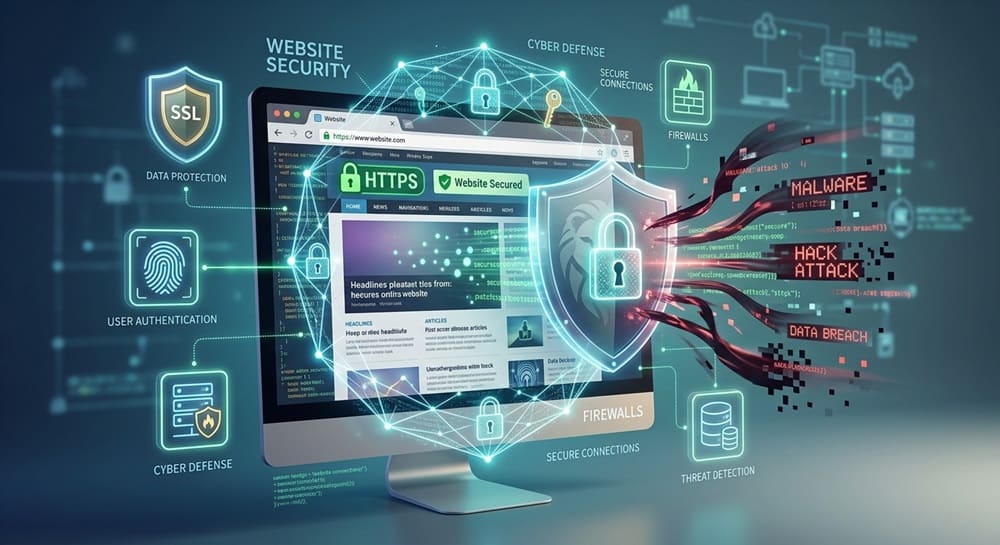
Website security is easy to overlook when you are focused on design, content and getting your new website online. If your website is not properly protected, hackers, malware and other security threats can put your business and your customers at risk.
Whether you are building a new website or maintaining an existing one, there are several basic security measures you should have in place. Here is a practical website security checklist to help keep your website safer.
Install an SSL/TLS Certificate
An SSL/TLS certificate helps encrypt information exchanged between your website and its visitors. When a website uses HTTPS, information such as contact details, login credentials and other data is protected while it travels between the visitor’s browser and the website.
You can usually identify a secure website by looking for HTTPS and the padlock symbol in the browser address bar. While an SSL certificate is not a complete security solution, it is an essential part of a modern website.
Keep Your CMS Updated
Your content management system, or CMS, is the software that allows you to manage your website. WordPress is one common example, but there are many other platforms.
Keeping your CMS updated is one of the simplest ways to reduce security risks. Updates often include security fixes for vulnerabilities that have been discovered since the previous version was released.
Before installing a major update, make sure you have a recent backup so you can recover the website if something goes wrong.
Use Strong Passwords
Avoid simple passwords based on your business name, address, birthday or other information that could be guessed. Do not use the same password for your website account that you use for email, social media or other services.
Ensure your password is long, unique and difficult to guess. Using a reputable password manager can make it easier to create and store different passwords for different accounts.
Enable Multi-Factor Authentication
Multi-factor authentication, often called MFA or two-factor authentication, adds another layer of protection to your website accounts.
Do not rely only on a password. MFA requires another form of verification. This could be a code generated by an authentication app, a security key or another approved method.
Use Secure Hosting
Your website’s hosting environment plays an important role in security. A secure hosting provider should have appropriate protections, regular updates and reliable infrastructure.
Do not choose hosting based only on the lowest monthly price. Ask what security measures are included, how backups are handled and what happens if the server experiences a security problem.
Install a Web Application Firewall
A web application firewall, or WAF, can help protect your website from certain types of malicious traffic before it reaches your web application.
A WAF can help identify and block suspicious requests and common web-based attacks. It is not a replacement for keeping your website software updated, but it can provide an additional layer of protection.
Create Regular Website Backups
Even with strong security measures in place, you should prepare for the possibility that something goes wrong.
Regular backups give you a way to restore your website after a security incident, accidental deletion, software problem or other technical failure.
Your backup strategy should include more than simply creating one copy when the website launches. Backups should be performed regularly based on how frequently your website changes.
Scan Your Website for Malware
Malware can cause serious problems for a website. An infected website may redirect visitors to unwanted pages, display suspicious content or become flagged by browsers and search engines.
Regular malware scanning can help identify suspicious files or activity early.
The exact scanning tools available will depend on your CMS and hosting environment. Some hosting providers and security services include automated monitoring, while certain CMS platforms have dedicated security plugins or tools.
Protect Your Login Page
Your website login page is one of the most important areas to protect because gaining access to an administrator account can give an attacker significant control over the website.
Start by using strong, unique passwords and MFA. You can also use measures such as login attempt limits, security monitoring and other access controls depending on your website platform.
Avoid using obvious administrator usernames where possible. Review your user accounts regularly and make sure former employees, contractors or agencies no longer have unnecessary access.
Remove Unused Plugins, Themes and Software
If you use a CMS such as WordPress, you may eventually accumulate plugins and themes that are no longer needed. Even if they are not active, outdated or abandoned software can create problems depending on how it is installed and managed.
It is better to keep your website setup simple. Every additional plugin or piece of software can introduce another potential point of failure, so install only what your website actually needs.
Secure File and Directory Permissions
File and directory permissions control who can read, modify or execute files on your website server.
If permissions are configured incorrectly, users or malicious software may be able to access or modify files that should be protected.
Protect Your Database
Your website database may contain important information such as customer records, product information, website content and account details.
Use strong credentials for database accounts and avoid giving applications more database privileges than they actually need. Keep the database software and related server components updated where applicable.
Conclusion
Website security is not something you should think about only after a problem occurs. It should be part of the website planning and maintenance process from the beginning.
A secure website needs several layers of protection, from HTTPS and strong passwords to software updates, backups, secure hosting and controlled access. None of these measures can guarantee that a website will never face a security problem, but together they can significantly reduce avoidable risks and make recovery easier if something does happen.

