



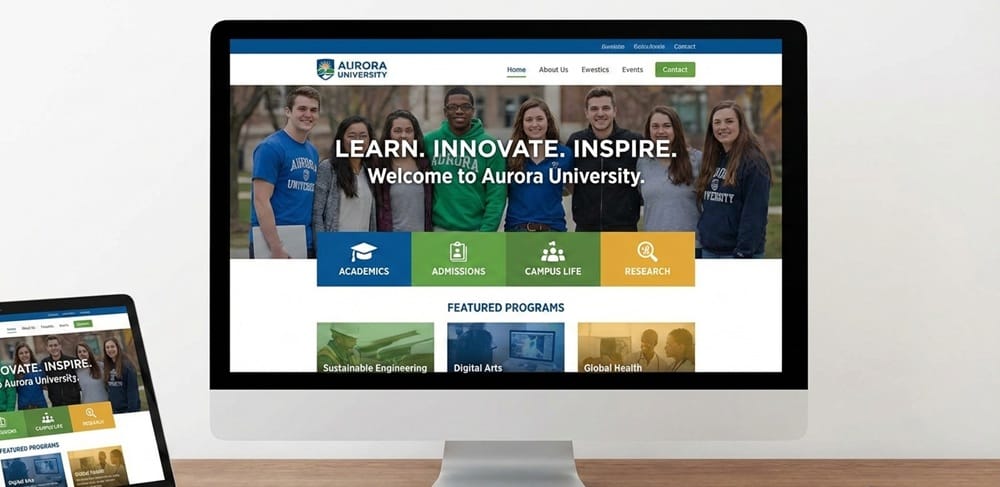
Looking for website design for educational institutions?
Almost everyone searches the term(s) in Google when they need something at an educational institute. A website serves as the first point of contact for students, guardians, and teachers regarding perceptions.
And a well-designed website conveys professionalism, trustworthiness, and accessibility, instantly reflecting the values and vision. Explore the key principles of website design for educational institutions.
What are the Objectives of an Educational Website?
An educational website can drive student recruitment, strengthen institutional credibility, and support academic success. Over 70% of students decide on enrollment based on the overall website design.
Student Recruitment and Admissions
A university/school site is the first touchpoint for prospective students and parents. Effective digital recruitment can reduce “summer melt” (students dropping out before enrollment) by up to 20%.
Information Sharing for Parents and Students
Transparency builds trust as parents and students rely on websites for accurate + timely updates. It involves academic calendars, exam schedules, results portals, news, and announcements.
Academic and Administrative Support
Modern sites grant access to e-libraries, LMS (Learning Management Systems), and faculty resources. Online forms, payment systems, and student services reduce paperwork, improving responsiveness.
Target Audience for Educational Websites
Educational websites succeed when designed with clear audience segmentation. Higher education sites with audience-focused design achieve conversion rates up to 30% higher.
- Prospective Students: Admission info, program details, campus, financial aid, and career.
- Current Students: Access to learning resources, schedules, exam results, and campus services.
- Parents or Guardians: Transparency on fees, safety, academic progress, and communication.
- Faculty and Staff: Administrative tools, teaching resources, HR policies, and communication.
- Alumni: Networking, career services, giving opportunities, and institutional updates.
What Elements Must be Present in an Educational Website?
An effective educational website must combine clarity, speed, accessibility, and integration. Institutions with optimized websites see higher enrollments and improved student satisfaction.
Precise Navigation and Intuitive Menu Structure
Visitors form an impression in under 5 seconds, so intuitive menus are critical. Use hierarchical menus (Admissions, Academics, Campus Life, Contact).
Keep navigation consistent across desktop and mobile. Highlight “Apply Now” or “Login” buttons prominently. Limit menu items to 7±2 options to avoid cognitive overload.
Fast Loading Speed and Performance Optimization
A 1-second delay in load time can reduce conversions by 7% (Google data). Compress images and use modern formats (WebP).
Implement Content Delivery Networks (CDNs) for global reach. Minimize JavaScript and CSS. In regions with varying internet speeds, lightweight websites improve accessibility.
Search Functionality for Courses, Notices, and Resources
Students expect a Google-like search within institutional sites. Autocomplete suggestions for courses and faculty. Filters by department, level, or date.
Search integration with notices, events, and library resources. Get an AI-driven search to personalize results (showing relevant scholarships to prospective students).
Contact Forms, Inquiry Forms, and Chat Support
Forms and chatbots convert interest into action. Keep forms short (3–5 fields max). Offer multiple contact channels (email, phone, live chat).
Deploy chatbots for FAQs—reducing staff workload by 30%. WhatsApp and Messenger integrations are increasingly common for parent communication.
Integration with Learning Management Systems (LMS)
LMS integration transforms a website from an information hub into a learning ecosystem. It may start with multimedia content delivery (video lectures, PDFs).
Real-time progress tracking and analytics are gaining popularity. Integrate tools like Zoom or Google Workspace. Ensure single sign-on (SSO), so students don’t have to juggle multiple logins.
User-Friendly Navigation and Information Architecture
Organizing Content Logically for Easy Access
Content should be grouped into clear categories – Admission, Academic, Student, Research, and Contact. Apply the “three-click rule”—users should reach any key page within three clicks.
Dropdown Menus, Breadcrumbs, and Internal Links
Ideal for complex institutions with multiple departments. They allow quick scanning without overwhelming users. Provide orientation by showing the user’s path (Home > Academic > Undergrad > Engineering).
Reduce Bounce Rates and Confusion
Leonardo da Vinci’s principle “Simplicity is the ultimate sophistication” applies directly to navigation. Choose terms familiar to students + parents (“Apply Now” instead of “Admissions Portal”).
Accessibility of Important Pages
Admission must be visible on the homepage with clear CTAs (“Apply Now”, “Scholarships”). Courses should be in searchable catalogs with filters (by department, level, semester).
Put contact info in prominent sections – the footer, a dedicated “Contact Us” page, and quick inquiry forms. Following WCAG 2.1 standards ensures that people with disabilities can access critical information.
Accessibility and Inclusivity in Educational Websites
Accessibility is a fundamental requirement for equitable education online. When websites meet WCAG standards, they become usable for learners, improve overall UX, and reduce institutional risk.
Designing for Visual, Auditory, and Cognitive Disabilities
- Visual: Provide high-contrast text, scalable fonts, alt text, and screen-reader-compatible structures (semantic headings, ARIA where appropriate). They address the needs of the 2.2 billion people living with vision impairment, ensuring content is perceivable and navigable.
- Auditory: Offer captions, transcripts, and visual cues for audio content, and avoid relying solely on sound for critical information. It directly aligns with WCAG guidance by presenting information across multiple modalities to improve operability.
- Cognitive: Use plain language, chunk information with clear headings and spacing, and reduce load through consistent layouts and predictable interactions. Accessible typography and spacing standards measurably improve comprehension for users with dyslexia and cognitive disabilities.
How to Implement: Core Accessibility Features
- Alt Text for Images: Provide concise, descriptive alt text that conveys the image’s purpose. Alt text ensures screen readers can deliver equivalent information and supports students using assistive tech.
- Readable Fonts and Contrast: Choose readable typefaces, adequate font sizes, and line spacing. Typography decisions can be the difference between access and exclusion for large segments.
- Keyboard Navigation: Ensure all interactive elements (menus, forms, modals, carousels) are reachable and operable via keyboard, with visible focus states and logical tab order.
Legal and Ethical Importance in Education
- Legal compliance: Accessibility is guided by WCAG, often required under ADA and EU accessibility frameworks. Conformant sites lower legal risk and meet public-sector procurement standards.
- Ethical Responsibility: Inclusive design advances educational equity. Prioritizing accessibility improves overall experience, extends the audience, and strengthens brand credibility and search visibility.
Security and Data Privacy Considerations
Every educational institution has to handle vast amounts of sensitive information. A breach not only compromises privacy but also erodes trust, leading to severe legal consequences.
Protecting Student Data and Institutional Information
Student records include personal identifiers, grades, health information, and financial aid details. Globally, education is one of the top five sectors targeted by cyberattacks.
Encrypt sensitive data both in transit and at rest. Implement role-based access control (RBAC) so only authorized staff can view or edit records. Regularly audit systems for vulnerabilities.
Importance of HTTPS and Secure Hosting
HTTPS ensures encrypted communication between the user’s browser and the institution’s server. Without it, login credentials and personal data can be intercepted.
Choose providers with strong DDoS protection, intrusion detection, and regular patching. Use firewalls and Web Application Firewalls (WAFs) to block malicious traffic.
Compliance with Data Protection Regulations
GDPR (Europe) requires explicit consent for data collection and gives students the right to access and erase their data. FERPA (USA) protects student education records and restricts unauthorized disclosure.
PDPA (Singapore) and India’s DPDP Act (2023) mandate strict handling of personal data. Fines under GDPR can reach €20 million or 4% of global turnover for potential noncompliance.
Secure Login Portals for Students and Staff
Weak login systems are prime targets for credential theft and phishing. Implement multi-factor authentication (MFA) for all portals.
Use single sign-on (SSO) to reduce password fatigue while maintaining security. Monitor login attempts and lock accounts after repeated failures.
Integration of Online Learning and Digital Tools
E-Learning Platforms and Virtual Classrooms
Integrate with Learning Management Systems (LMSs) such as Moodle, Blackboard, or Canvas. Consider virtual classrooms powered by Zoom, Microsoft Teams, or Google Meet.
Enable multimedia support (video lectures, interactive quizzes, discussion forums). Enable single sign-on (SSO), so students don’t have to juggle multiple logins across the LMS, portals, and email.
Online Admissions and Application Systems
Online admissions reduce paperwork, minimize errors, and accelerate decision-making. Institutions using digital admissions portals report processing times 30–40% faster.
Implement step-by-step application forms with progress indicators. Secure document uploads (transcripts, recommendation letters). Provide automated notifications for application status.
Student Portals for Grades, Schedules, and Resources
Student portals centralize academic and administrative information, improving transparency and engagement. Grant access to grades, transcripts, and attendance records.
Keep personalized dashboards with schedules, deadlines, and resources. Integrate with e-libraries and research databases. Always design portals with mobile-first responsiveness.
Event Calendars and Announcement Systems
Maintain interactive calendars with filters (academic, cultural, sports). Enable push notifications and email alerts for important updates.
Integration with social media can give a wider reach. Use color-coded categories (exams, workshops, holidays) to reduce confusion and improve usability.
Contact Tectera a web design company in Sri Lanka for website design for educational institutions.
Frequently Asked Questions
Key features include steadfast navigation, fast loading speed, mobile responsiveness, search functionality, LMS integration, and secure portals.
A visually appealing and user-friendly site increases conversions. Universities with optimized admissions pages report 20–25% higher application completion rates.
