
sales@tectera.com
+1 (647) 871 9554)

Tectera

BLOG

Bring your
web ideas to life

Looking for SaaS website design ideas? Check these 10 design ideas.

The most significant step in designing a SaaS website is to take functionality into consideration along with effortlessly managing to make it appear aesthetically appealing. SaaS website design is definitely not a child’s play, but there are several key points if, taken into account can make this work easier for you.

An important key ingredient in the design is Search engine optimization (SEO), you need to make sure your site is ranking well on search engine result pages.Developing your SaaS website wisely is important to generate more leads and convert you leads into your future customers.

Here are 10 SaaS website design ideas that could help you design an amazing SaaS website. I’ll be sharing some Saas website below and stating the distinctive features of their website that make them stand ahead.

The increasing number of SaaS websites are making a competitive market therefore, it’s crucial to smartly design it in a way to reach the maximum targeted clients.

SaaS Website Design Idea 1

SaaS

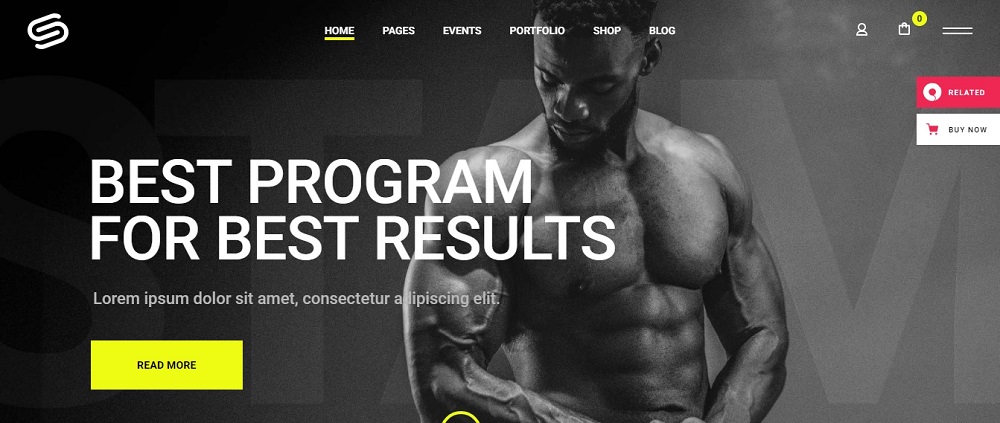
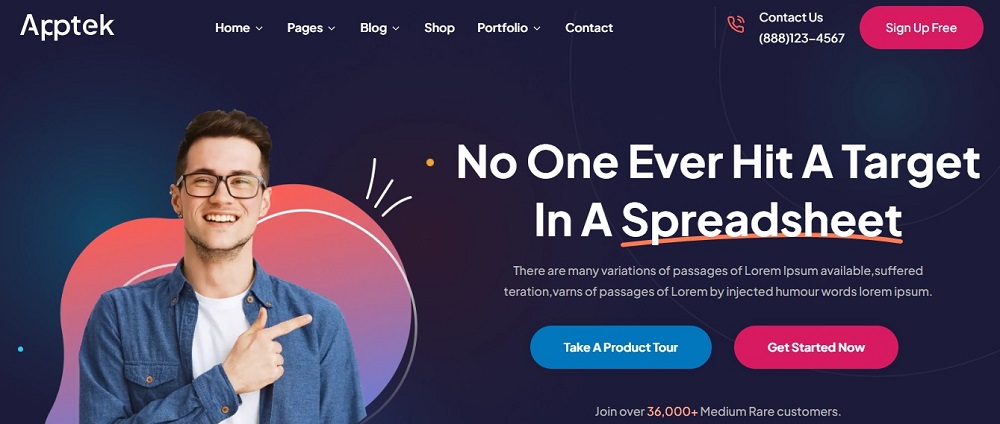
This is a perfectly design website example for SaaS offering. In a nutshell this website covers all the information informing about their 36,000 customers. The contact tab on the right top makes it visible and easily reachable while giving you a sign-up option. Further the center pages prompt you to take a product tour to give you their software experience.

SaaS Website Design Idea 2

SaaS

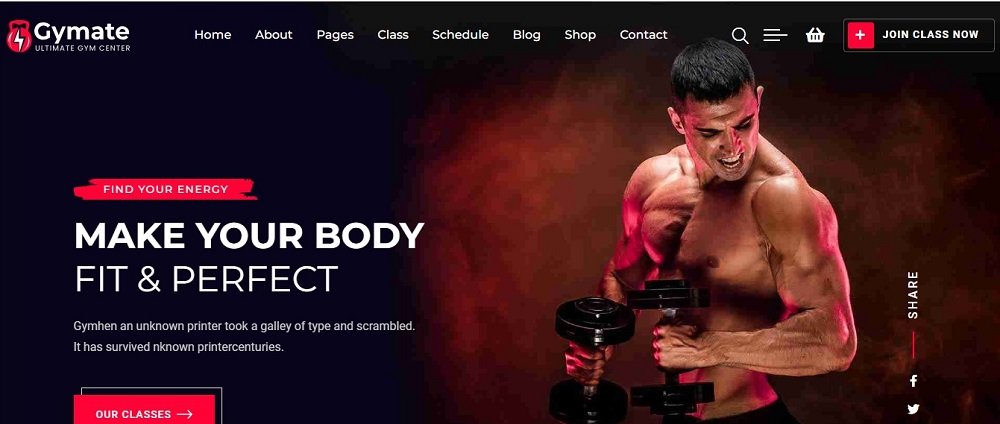
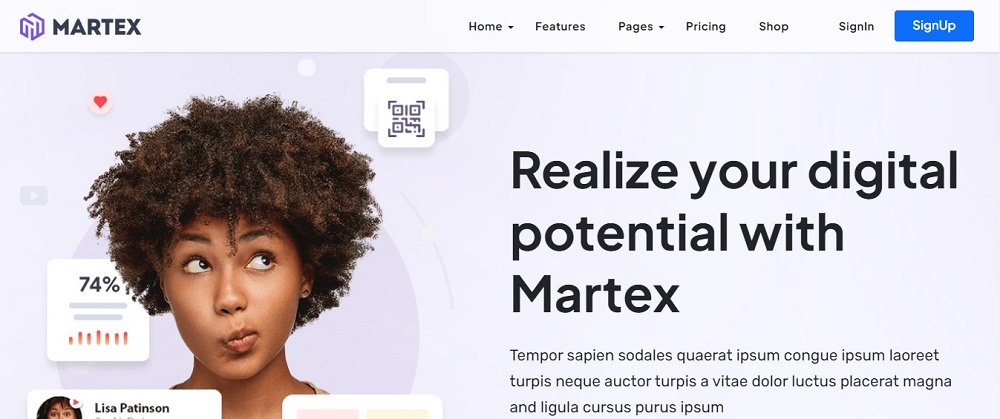
This SaaS website design shows you a solution to your problem.  This design has a sign-up option on the right top to get you started. This website is very clearly structured giving all the important options at the top like pricing, features and option to shop.

SaaS Website Design Idea 3

SaaS

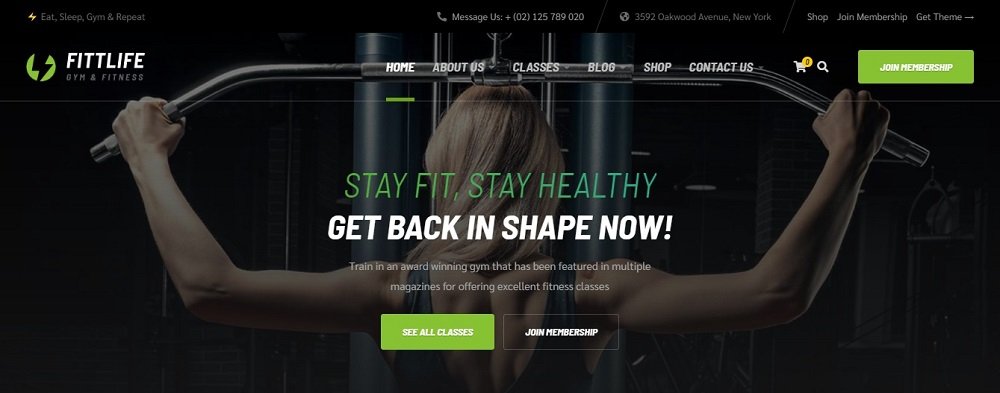
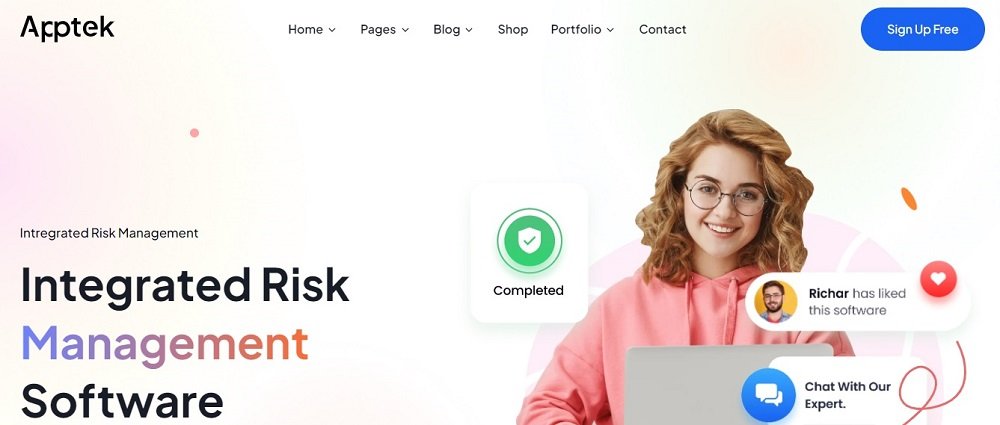
This is another example of a website which is organized and interpretable about what they have to offer to the client. All tabs are clear with the information they include. The website demonstrates clarity and design simplicity. Plus, they’re offering an opportunity to chat with their expert to help the user facing any difficulty to make it a good experience at the user end.

SaaS Website Design Idea 4

SaaS

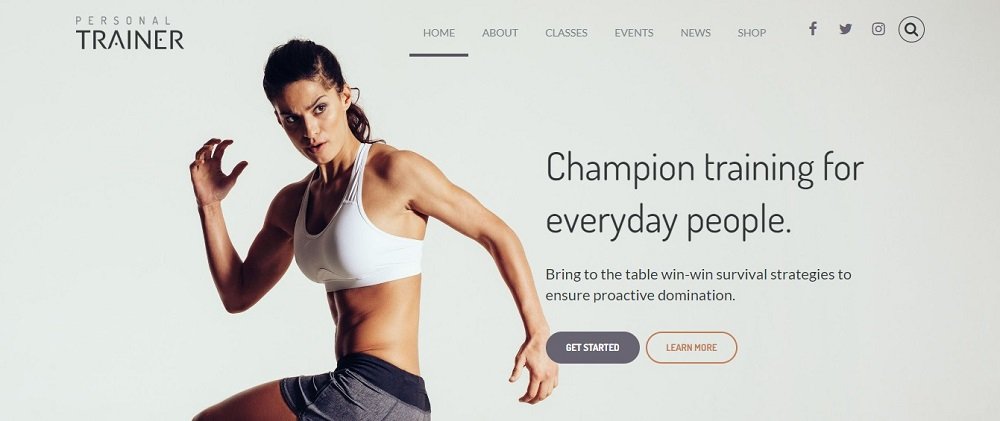
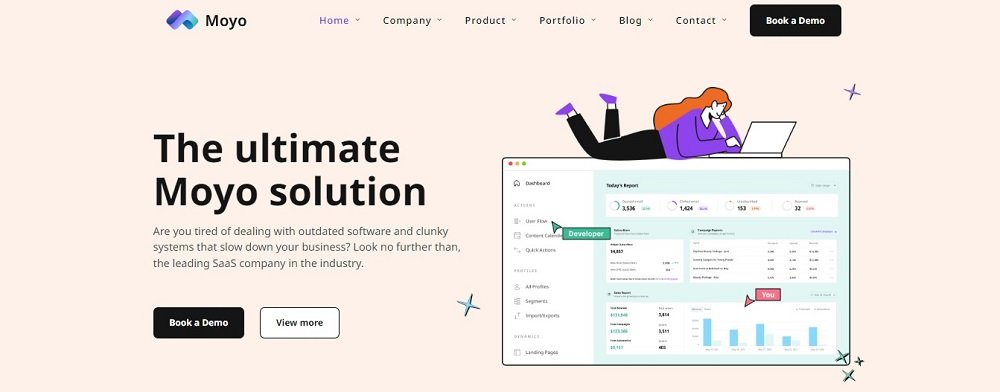
This SaaS website has used the right template and graphics to make it look attractive and client welcoming, they’ve highlighted the option of providing a demo.

This feature of providing a demo build confidence in the client. Also, they’ve displayed at the right side of the homepage of the website showing how this website works by providing the complete statistics of the business growth of the client.

This feature makes it useful for the client to track their business growth and since all the options are handy and accessible this adds more value to the website.

SaaS Website Design Idea 5

SaaS

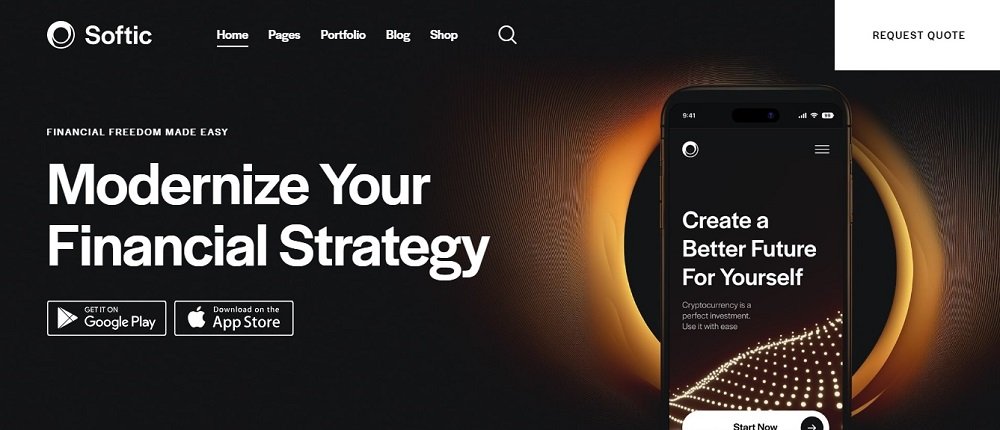
This website is designed on a black theme with the text written in white to make everything clear and readable. They’ve offered the facility to easily download the website for both android and iphone users adding convenience at the user end.

Additionally, they have provided the option for ‘request quote’ for the user to get a clear idea about how and what services can they provide to their respective clients. Other than that they’ve added portfolio tab for a better user experience.

SaaS Website Design Idea 6

SaaS

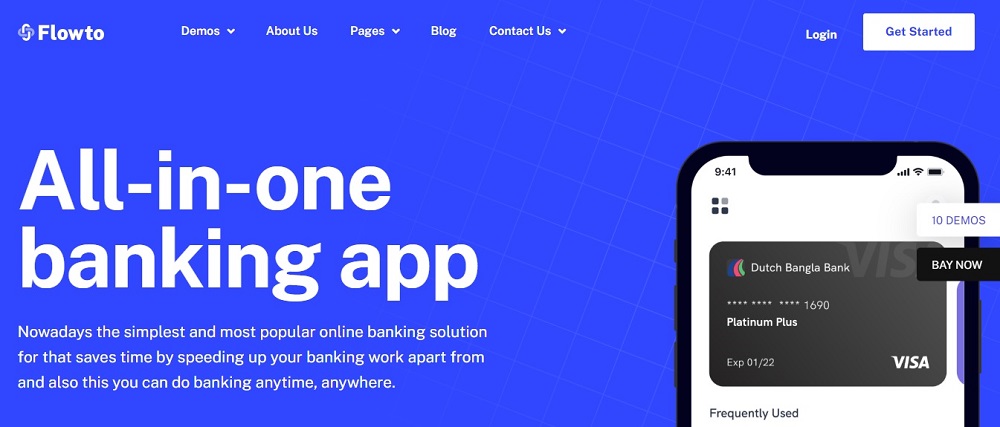
This blue theme SaaS website has white bold fonts which makes the text & offering crisp message loud and clear.  The first tab shows the Demo option for customers to get hands on experience. Moreover, they perfectly demonstrate the functionality of the application/software in the website banner.

On the right is the Get Started option making it easier for customer to navigate and get on board. Further, there is a contact us option for customers to get in touch to get their questions cleared hence providing customer service.

SaaS Website Design Idea 7

SaaS

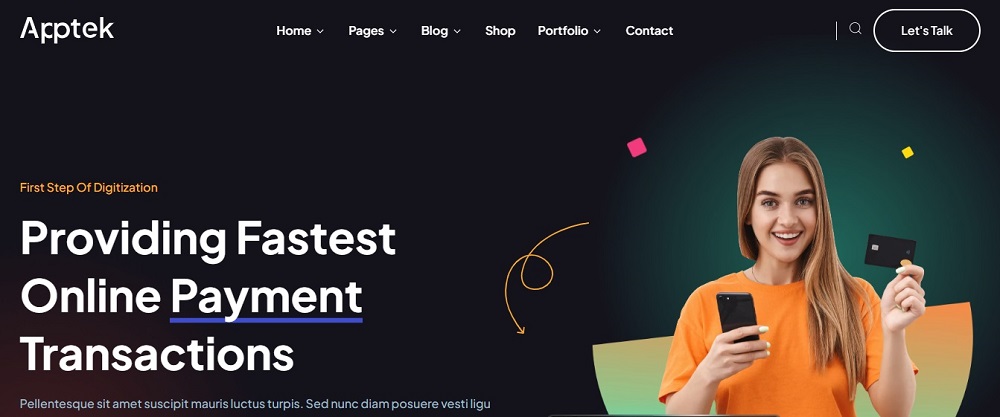
This is an innovative website based on a black theme. They have very smartly placed the Let’s Talk features calling customers to get into a discussion and know more about their offering. Other highlights are the Portfolio tab, which is very important for every business.

They are letting new customers know about their existing customers to build trust. They have also added a blog tab which is unique from other SAAS offering website and a smart move. Also, a shop option has been added for customers to complete their purchases. They have wisely placed the search option to help the user navigate things easily.

SaaS Website Design Idea 8

SaaS

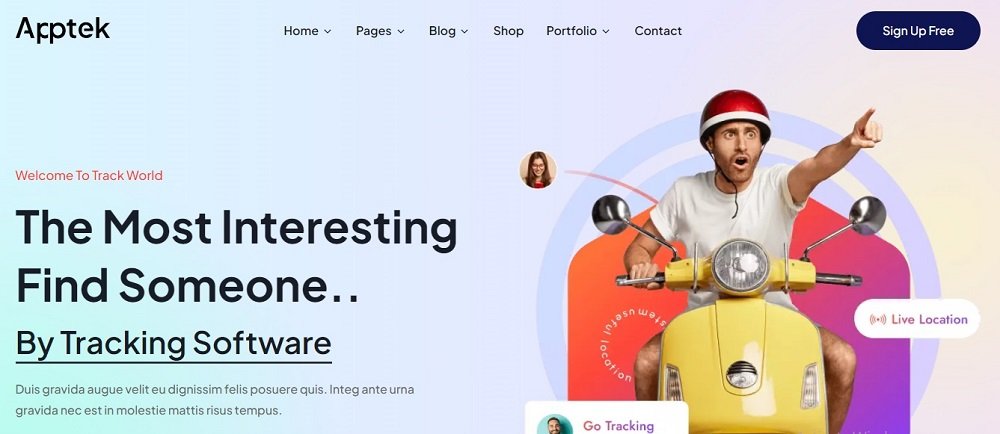
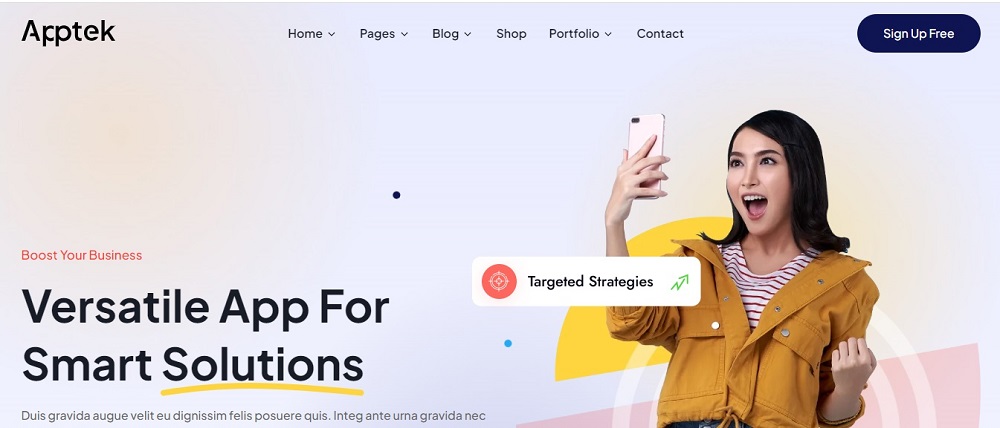
This is an exciting colorful website design giving a fresh look of the SaaS. The most important highlight of the website is the Sign-Up free tab added on the top right of the website.  Other basic tabs include Home, Pages, Blog, Shop and Portfolio. Blogs & adding a portfolio is always a good way to interact with customers and tell them more about your business.

The website provides an amazing user experience, navigating through the website is easy and for customer service they’ve provided the contact tab in order to help the client make the right decision.

SaaS Website Design Idea 9

SaaS

This website is designed taking simplicity and clarity into account. This SaaS website seems user-friendly and has emphasized on coming up with targeted strategies to cater its client in the best possible way.

Also, they’re offering the option for free sign up to the client to have more knowledge about the website and how does it work to elevate its client business. Moreover, they’ve also provided the options for portfolio and contact to make it a good experience at the user end.

SaaS Website Design Idea 10

SaaS

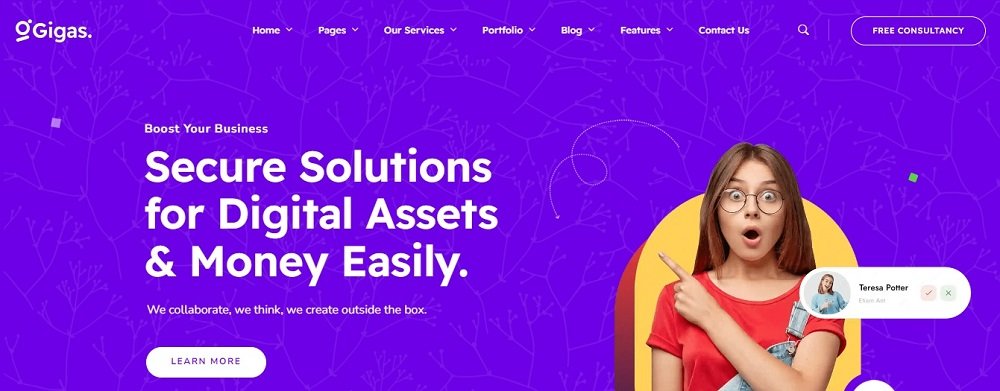
This website design is based on a dark color themed background to make the text pop out, this website seems self-explanatory. They provided the option for free consultancy to the clients as well as have mentioned all sort of services they offer in the above tab.

Other than this, in order to further clear out user’s ambiguity to have highlighted the option to learn more about this website to make sure user is fully satisfied from their services before choosing them for business elevation. Additionally for a better user experience they have provided ways to contact them in the contact us tab.

To get more SaaS website design ideas contact Tectera who provides web design in Toronto.

See Also:

Social Share or Summarize with AI

In the ever-evolving landscape of web design and user experience, the website navigation bar remains a key element. It serves as a digital roadmap for visitors that easily guides them to their chosen destination. When it comes to creating an exceptional user experience, some best practices cannot be ignored.

It is one of the most important elements of web design as it influences user experience, website usability and conversion rates. A good website navigation bar should be clear, consistent and easy to use. In this comprehensive guide, we’ll cover 10 website navigation bar best practices that will not only improve user experience but also help your website stay ahead of the competition on Google.

1. Use descriptive, short offer titles

The first basic rule of effective website navigation is to keep menu titles short and descriptive. Each menu item must clearly communicate its purpose so users know what to expect when they click on it.

Instead of a vague term like “Services”; Choose something more specific like “web design services”; or “digital marketing services.” This not only makes navigation easier but also improves SEO by including relevant keywords.

2. Limit the number of menu levels in the top navigation

A cluttered navigation menu can overwhelm users and make it difficult to find what they are looking for. To keep the structure clear and uncluttered, limit the number of menu levels in the top navigation.

Ideally, you limit yourself to two levels at most: the main menu and the submenus. This simplifies the user journey and avoids information overload. If you have more, consider using other methods like drop-down menus, sidebars, or breadcrumbs to organize your content.

3. Do not use more than two menu levels in the top navigation

In addition to the previous point, it is worth mentioning that when navigating a website, simplicity is paramount. Do not use more than two menu levels in the top navigation. Too many submenus can confuse visitors and make your website less SEO friendly. By simplifying the navigation process, users can quickly access the content they want. For example, if you have a main menu with four items: Home, Services, Wallet, and Contacts, you can set up a second-level menu of sub-items under each item.

However, you shouldn’t have a third-level menu with multiple sub-items under each sub-item. This can create a deep and complex hierarchy that can frustrate and confuse users.

4. Use the Sticky Website Navigation Bar

A sticky navigation bar, also called a fixed navigation bar, remains visible as users scroll through a web page. This feature is a game-changer in terms of user experience. It ensures that basic menu items are always available, so users don’t have to scroll up. This improves the user experience and keeps visitors interested in your website. A persistent navigation bar can also increase your website’s visibility and accessibility by reminding users what your website has to offer and where they are.

However, you must be careful that the persistent navigation bar is not too large or too distracting, as it can take up valuable screen space and distract users from your content.

5. Provide the user’s location

Users should never feel lost on your website. To avoid this, paste breadcrumbs or highlight the current page in the menu. This simple but effective practice helps users understand where they are in the site hierarchy, making it easier to navigate related content. This can help users navigate your website and track their progress. This can also reduce the risk of users getting lost or clicking on the wrong link.

6. Link your logo to the home page

This may seem like a small detail, but it can make a big difference in the user experience. Make sure your website logo is clickable and linked to your homepage. Users have come to expect this feature and it’s a great way to quickly return to your home page, no matter where they are on your site. This can improve the user experience by giving users a convenient and
intuitive way to return to your website’s home page.

7. Make the site available

Accessibility is not only a best practice, but also a legal requirement in many regions. Make sure your website is suitable for people with disabilities. This includes providing alternative text for images, using clear, readable fonts, and implementing keyboard shortcuts for navigation.

8. Optimization for mobile devices

With the increasing use of mobile devices, optimizing web browsing for mobile devices is of utmost importance. A responsive design ensures that the navigation bar adapts perfectly to different screen sizes. Mobile-friendly navigation improves the user experience and has a positive impact on search engine optimization, as Google favors mobile friendly websites. You should also consider using tactile elements like buttons and icons. Reduce loading times; simplify navigation; and avoid pop-ups and
flashes.

9. Add a search function

Even with a well-structured website navigation menu, users may prefer to search for specific content. Incorporating a search box prominently on your website allows users to quickly find what they need.

Make sure the search function is efficient and provides relevant results. You should also make sure that the search function is fast, accurate and relevant, and that it provides useful suggestions and filters to users.

10. Do not display social network icons in Navigation

Although it’s important to promote your social media presence, avoid cluttering your navigation bar with social media icons. It is best to place these icons in the footer of the website or in the special “Contacts” tab. Page. This helps us focus on navigation and core content, improving the user experience.

Mastering website navigation best practices is critical to providing a great user experience and improving your website’s SEO ranking. By following these tips, you can provide your visitors with a hassle-free journey and ensure that they not only find what they are looking for but also come back for more.

In conclusion, a well-designed website navigation bar is the foundation of a positive user experience. By following these 15 best practices, you can create a navigation system that not only guides your users effectively but also increases their overall satisfaction with your website. Remember that user centered design is essential. When improving your navigation, always consider the needs and preferences of your target audience.

Incorporating these practices into your website design can result in greater user engagement, longer visit times, and higher conversion rates. Continuously monitor and adjust your navigation based user feedback and changing web design trends to ensure your website remains user friendly website and competitive in the digital landscape.

Contact Tectera who provides web design in Toronto to develop best website navigation bar.

Social Share or Summarize with AI

Would you like to enhance your social media copywriting abilities? The skills that bring engagement and traffic to your social platforms. Let’s explore how you can achieve that.

When social media first emerged, it was treated as an entertainment platform but not anymore. With the passage of time, it has taken the role of a business and marketing tool. Now, billions of people use social media, more accurately, 4.88 billion.

You must write compelling social media copy to use social media in your favor. We are exploring 10 social media copywriting best practices in this post that can benefit you.Let’s continue.

Social Media – A Powerful Marketing Tool

4.88 billion people are not using social forums to watch videos or reels; in fact, social media has turned out to be the dominant source of advertising and promotion. Be it Facebook, Instagram, or YouTube, every brand and business launches its campaigns on its social handles.

These social platforms give access to millions of potential buyers and business owners. Only Facebook has more than 2.9M users. Moreover, an individual spends 151 minutes scrolling social media on average. So, how can we ignore the power of social media?

Marketing companies channel social media to connect with consumers, build brand awareness, and drive conversions.You can use social media to show your strengths and stand out from competitors.Social media gives you useful customer information to reach the right people.

It’s essential to use social media wisely because it can be tricky. One wrong move can make you lose many followers. On the other hand, a strong call to action can make you famous overnight.

What Is Social Media Copywriting?

Social media copywriting is writing text that engages your audience and drives them to take action. You can write a post or show an ad in order to drive the audience to your website.

Using your penmanship, you ask the users to subscribe, sign up, purchase, or follow anything you want. But it’s not that easy; your message must be persuasive and engaging. Social media copywriting is a skill for a reason because it grabs the attention of users despite the reduced attention span.

The typical attention span has dropped by 30%. People can now concentrate for only about 8.25 seconds. With shorter spans and fierce competition, effective copywriting is paramount.

10 Social Media Copywriting Best Practices

In a digital landscape saturated with information, mastering the art of crafting compelling social media copy can be the key to success.Let’s dive into these proven strategies for writing impactful social media posts.

1. Define Your Audience

To craft effective social media copy, it’s essential to first identify your target audience within the vast landscape of social media users. This involves narrowing down the demographics, interests, and behaviors of the individuals most likely to engage with your content and convert into customers.

Once you’ve identified your target audience and developed buyer personas, the next step is to tailor your social media copy to align with their interests, needs, and pain points. This involves:

  • Creating content that communicates directly with your specific audience.
  • Addressing their challenges and pain points.
  • Ensure your content matches what your audience is interested in and needs.

2. Use A Strong Hook

A hook is the initial sentence or words of any content, including social media copy. It is your responsibility to make the beginnings extra interesting for your audience. So they become glued to the whole post. If they find the starting bland, they will not continue to read. Hence, leaving the page.

There are a few things you can do to grab the initial attention:

  • Ask a question
  • Make a statement
  • Tell a story
  • Use humor
  • Use a statistic
  • Use a quote

3. Clear and Concise Wording

Being clear and concise in your social media copy means using simple language that is easy to understand. It also means avoiding jargon and unnecessary words. You aim to convey your message in as few words as possible without sacrificing clarity.

Here is how to write clear and concise social media copy:

  • Use simple language
  • Avoid using jargon or technical terms
  • Be specific
  • Get to the point quickly
  • Use active voice
  • Use strong verbs
  • Avoid filler words
  • Proofread carefully

For example:
Instead of: “We offer a wide variety of services to help you with your business.”
Try: “We help businesses succeed.”

4. Use Active Voice

An active voice is a writing technique where the subject of a sentence carries out the action of the verb. It is generally more direct and engaging than passive voice.

In social media copy, it is generally best to use active voice. This is because a busy agent is more likely to grab the reader’s attention and keep them engaged.

Some tips for using active voice in social media copy are:

  • Put the subject of the sentence before the verb.
  • Use strong action verbs.
  • Use pronouns like “you” and “we.”

For example:

Instead of: “The problem was solved.”
Try: “I solved the problem in just 10 minutes!”

5. PAS (Problem, Agitate, Solve)

PAS stands for Problem, Agitate, and Solution. It is a copywriting framework that can be used to write persuasive and engaging social media copy.

The PAS framework works by first identifying the problem that your audience is facing. Then, you agitate the problem by showing how it is causing them pain or frustration. Finally, you solve the problem by offering your product or service as the solution.

For example:

Problem: Are you tired of feeling stressed and overwhelmed?

Agitate: Stress is the cause of many lethal physical and mental problems like depression and headaches, resulting in lower productivity.

Solution: Our latest stress management application is your ultimate life-saver, providing you with the solution for stress reduction. Get personalized advice and exercise relaxation techniques to improve your well-being.

6. Use Visuals

Visuals prove to be very influential in social media copywriting, especially if you are using Instagram and TikTok. Visuals break the monotony of text, break up the post into smaller parts, and make it more interesting. Moreover, visuals improve readability and grab attention quickly.

Benefits of using visuals in social media copy:

  • They grab attention
  • They improve comprehension
  • They increase engagement
  • They boost brand recall

Here are some tips for using visuals in social media copy:

  • Choose the right visuals
  • Keep it simple
  • Use high-quality visuals
  • Optimize your visuals for social media
  • Use a call to action

For example:

Use images or pictures to demonstrate your points: If you are promoting your book, post a picture of an engaging page so the audience gets a glimpse of the inside. This way, they will be intrigued to read more.

7. Use Emotions

The best way to connect to your audience is to use emotion and humor in your copy. Your copy should sound human, not robotic instructions. Give it a personal touch, share a memory, crack a joke, or ask your reader’s opinion.

Human beings connect strongly to emotions, especially humor. Use genuine and authentic emotion to get connected and evoke a beneficial response. Do not fake it or overdo emotion.

Some tips for using emotion in your social media copy:

  • Know your audience
  • Be authentic
  • Be relevant
  • Use sparingly

For example:

Use a personal anecdote: A personal story can help to make your copy more relatable and emotional.

8. Always Use A CTA

A call to action (CTA) is a statement that tells your audience what you want them to do. It’s essential for every social media copy since it aids in accomplishing your marketing objectives.

A strong CTA helps:

  • Increase engagement
  • Drive traffic
  • Boost conversions
  • Build relationships

Reading your social media post might confuse the audience about the next step. Tell them exactly what to do next by providing a clear CTA. You ask them to subscribe to your channel, buy your book, or follow them on Instagram.

A strong CTA should be:

  • Clear and concise
  • Use action verbs
  • Make it specific
  • Place it prominently
  • Test and optimize

9. Be Findable

How will you reach your target segment if they cannot find you on social media? The goal is to be visible. For visibility, you can do a few things:

  • Use hashtags
  • Use keywords
  • Post regularly
  • Engage with your audience

Hashtags are an efficient way to find a post, product, or person. Utilize hashtags, but very carefully, as they can be very competitive. Likewise, long-tail hashtags are more specific if you are targeting a niche market.

Use keywords in your social copy so if a person searches that keyword, your social link pops up.

10. Tailored Content

Every platform possesses its distinct audience and culture, so you must create content tailored to each forum. Not only the audience but the format and word count also varies among these forums.

Millennials use Facebook primarily for long-form content. Posting content on Facebook that targets Gen Z is not a savvy choice.

Moreover, Instagram is made to post photos; if you post long messages there, no one will bother reading them.
Hence, carefully craft your content strategy for every platform.It’s important to remember that there is no one-size-fits-all approach to social media marketing.

We discussed 10 social media copywriting best practices to assist you in crafting captivating and efficient content that drives results. Implementing these suggestions can enhance your social media presence and connect with your audience meaningfully.

Looking for social media marketing? Contact Tectera which is a social media marketing agency in Toronto.

Suggested Read:

Social Share or Summarize with AI

Looking for travel agency website design ideas? Check these best 10 travel agency website design ideas.

A Website is the most successful way to digitally show off any business. Since most of the people are now connected with the network, this is the best way to get connected with them. A great and attractive website is helpful in both ways.

If you’re looking for a design to launch a new travel website to market your services and to attract tourists, these designs might help you to create a perfect website according to your needs.

Travel Agency Website Design Idea 1

Travel Agency Website Design Ideas

This website emphasizes the ‘less is more’ theory. The homepage here is quite simple and clean. Only the essential components are displayed here.

A highlighted strapline provides information on what the website is all about. The matching picture behind elevates the meaning more. The search function is very clever and user friendly website.

Giving an additional search bar to directly search the destination details is also a nice feature. If someone wants to search for things right away, this will help.

Suggested Read: Best 10 Website Design Ideas For Restaurants

Travel Agency Website Design Idea 2

Travel Agency Website Design Ideas

This website is created by aiming to match flights and other travel methods for people. The full screen backdrop image makes it so attractive. It’s kept very simple as well.

The search engine is designed to specifically search for a particular date, place and travel method. This simply filters the search and makes it more accurate.

The search tabs are clear and therefore, it is easy to use by even the people who have vision problems.

Travel Agency Website Design Idea 3

Travel Agency Website Design Ideas

The website has made it exactly to look like an official looking tourism website.

This is a flawless website from top to bottom. The website is curated with stunning photographs to make it look modern.

The format of the website is simple and it has categorized the services under different tabs to make the work easy.

Travel Agency Website Design Idea 4

Travel Agency Website Design Ideas

Here, everything is well balanced. The layout doesn’t overwhelm any of the visitors. It has only the information that is most needed.

Visitors have the option of making a filtered search as soon as they walk into the website. There are several other menu items as well. But everything is made as an easy to navigate system.

All the information is well organized in tabs. And for a visitor who has the aim of directly looking for information about destinations, this helps to solve it at once.

Travel Agency Website Design Idea 5

Travel Agency Website Design Ideas

This website is primarily focused to cater for travelers who want to compare between different countries and book trips accordingly.

The most attractive feature of this layout is the listing of most popular destinations overlaid with beautiful photographs. This is one of the clever techniques anyone could use to attract customers.

The information in tabs are also well organized and only the most searched and interested information is displayed.

Travel Agency Website Design Idea 6

Travel Agency Website Design Ideas

Using the white, big text here is so far a brilliant idea. White is attractive. It can catch every eye when there’s nothing else so bright around.

And the full screen photograph behind with a greyscale adds up a full meaning to the whole website. People are attracted twice here: by the white letters and the full screen background image.

Adding up a call to action ‘book your travel’ makes any visitor want to click it. The information tabs are very small and contain only the most important information. This makes the screen look less complicated and soothing. 

Travel Agency Website Design Idea 7

Travel Agency Website Design Ideas

This website is exceptionally comprehensive. It features different types of searching filters as well as the details about the website.

But the good thing is that everything here is easily accessible with the big search bars. The site is designed to provide information about very distinct categories making sure that visitors would find immediately what they are looking for.

The straightforward website navigation bars make everything look easy. This design will probably make sure that the website doesn’t miss any of their customers.

Travel Agency Website Design Idea 8

Travel Agency Website Design Ideas

Using white is really attractive and it makes the website look less complicated and clean.

If there’s any best color that could be used to make things pop up on a white background, it’s black. Highlighted words with the concept of the website will let anyone who enters the website know what this website exactly does.

And apart from using only pictures, going for a little bit of illustration is also unique. This adds some personality to the website and makes it look fun too!

Balancing picture displays are also a good add up to the website as people will also get a pictorial idea of the website’s goal.

Travel Agency Website Design Idea 9

Travel Agency Website Design Ideas

Suggesting different travel ideas on the same page is a good way to attract more people. A site has to look clean and easy to use. Labeling the locations gives more on the process of decision making.

Instead of centering the text and making the background pictures bold, vignetting the corners of a picture and bringing the text to a corner also makes it pop up quickly and also balances the page well. This also views the picture behind clearly. Using white text is actually a great way to emphasize the point of the website.

Travel Agency Website Design Idea 10

Travel Agency Website Design Ideas

Photos can do a major work when it comes to building more audience and visitors. And the wordings that are used to highlight the page also matter.

Here, the first words are highlighted more on the purpose of the website and the name kf the website is added as well. This puts the idea of ‘use this website to book’ into to the visitors head. And right down below, the specific search bar makes it more convenient for them to use the website more.

This is a brilliant way of keeping visitors engaged in the website. By pinpointing and targeting what people are actually looking for, any website could become successful.

Using appropriate images that are not so complicated and clear even at the bold background takes the eyes first to the wordings.

Final Thoughts

There is no actual template that can be recommended as it will work well for a travel website.

There are a variety of designs and approaches. It has to be chosen according to the target audience and the goals of the company.

Just make sure that everything is simple and provides easy navigation. Use pictures, but make sure they download faster.

Above all, look what your competitors are into and what are the new trends. And finally, come up with your own unique way.

To get more travel agency website design ideas contact Tectera who provides web design in Toronto.

See Also:

Social Share or Summarize with AI

Looking for SSL certificates guide? Here is a complete guide.

Have you ever noticed that the website addresses, which are also known as URLs (uniform resource locators) start with https:// sometimes?. The most common way that a URL will begin is http://. It’s curious why some URLs are having an extra ‘s’ isn’t it?.

What does this ‘s’ really mean?. Well simply saying, the ‘s’ stands for security. This means that your connection to the particular website is encrypted and safe. Anything that you share with this website is secured and nothing is to worry about.

The ‘s’ however has a longer meaning and a description. It stands for SSL. So let’s talk about SSL and why it is so important.

What is an SSL certificate?

SSL stands for ‘secure sockets layer’. This is also known as TLS (transport layer security) in common. It is a security method that will establish an encryption between a server and a browser. This linking makes sure that the data including sensitive information that has been transferred between these two destinations remains private and safe.

How do SSL certificates work?

SSL technology makes use of random numbers called ‘keys’. This is inspired from the public key cryptography concept. There are two different keys where one serves as a private key while the other serves as public.

When a browser tries to connect to a website that is secured with SSL, the browser requests the server to identify itself. The web server then sends out a copy of the SSL certificate to the browser.

The browser checks if the SSL is genuine and trustworthy. If everything is alright, it sends a message to the web server. The server again sends back an acknowledgement that is digitally signed, in order to start an SSL session that is encrypted.

Finally the session will begin and the encrypted data is shared by the browser and the server.

Why do you need an SSL certificates?

There are several benefits of using an SSL certificate in order to prevent the exposure of sensitive data.

Helps ensuring website security

When we come across a website that says it is not secure, we close it right away. This is because everyone is concerned about their security. With an SSL certificate, it is possible to prevent any security breach. It provides a secondary authentication that helps to secure all the information sent. None of these will be accessible from a difficult device.

Enhances the ranking of search engine of a website

In order to make sure that users are able to experience safe browsing, Google improves the search engine rankings for the websites by using SSL certificates. https:// will be used as an indicator for ranking.

The website will be trustworthy among users

Whether you are having an e-commerce website or not, SSL certificate is mandatory. No one will enter a website that says it’s not safe.

Even the customers don’t want to buy from you if your website is not secured. So it is better to show all the users that you care about privacy and security. And the best way to emphasize it is using an SSL certificate.

Improve the speed of website

By installing an SSL certificate, the website will load quickly and it even improves the performance of the website. This also increases the SEO and helps the website grow.

Encrypting sensitive information

With an SSL certificate, it is possible to encrypt all the information that is sensitive. This can be anything including passwords, bank details, personal information, telephone numbers, addresses, ID information etc. This prevents the breaching of these data and keeps all the information protected.

Types of SSL certificates

Single domain SSL certificate

This certificate applies to a single domain. It cannot be used to authenticate a different domain. Every page on the domain will be secure with this certificate.

Wildcard SSL certificate

This is to secure a single domain and all of its sub domains. Sub domains belong to the main domain and stay as a branch of it. Users are able to check the subdomains list that belongs to a main domain by clicking the padlock icon located at the URL bar.

Multi domain SSL certificate

This certificate can enlist multiple domains within a single certificate. All these domains should not be sub domains.

How to obtain an SSL certificate?

 Here’s a simple explanation on how to acquire an SSL certificate,

  1. Have all the correct information of the website such as a unique IP address, WHOIS record that is accurate, and a validation of the business or the organization.
  1. Based on the website type and structure, decide what type of an SSL certificate is needed.
  1. Choose a certificate authority that acts as an entity in issuing SSL certificates. Pick a trusted and a reputable CA that can provide a certificate according to the needs and the budget.
  1. Generate a CSR (certificate signing request) which is a file that needs to be in the web server before requesting an SSL from a CA. They will use this information to issue an SSL.
  1. After generating the CSR, submit it to the CA that is selected. And then purchase the SSL certificate.
  1. Wait for the CA to validate the details and issue the SSL certificate.
  1. Once the CA has processed the request of an SSL certificate, you will be given access to it. Then it can be installed to the web server where the website is hosted.
  1. Since now the SSL certificate is installed, the testing should be done by using SSL verification tools. Also create a schedule to monitor the SSL certificate activation.

The wrap up

 SSL certificates help to enhance the security of any website. In order to build up trust among customers and visitors and to keep them coming to your website, installation of an SSL would be greatly helpful.

This will also help you in many other ways by improving the SEO of the website and competing with other websites that are already established.

So make your website a reputed and a loyal place with secure socket layer certification.

Wants to add SSL certificate to your website? Contact Tectera who provides web design in Toronto.

Social Share or Summarize with AI

Advance the content marketing strategy in order to gain leads and bring out more conversations in order to turn visitors into loyal customers with a simple and easy way: call to action (CTA).

What is a call to action?

A call to action or a CTA is a piece of wording that will induce a viewer to perform any kind of an action in order to engage more with a brand or a site.

The websites that are engaged in e-commerce usually put this into use in the form of buttons or hyperlinked phrases in order to encourage their buyers to buy a product. This is one of the key elements that a website can put to use in order to interact with users and to effectively attract them for purchases.

The main goal of a CTA is to use a small sentence to push the viewer to perform a specific action. These can also create a sense of an urgency which is also proven to increase the conversion rates effectively.

CTAs can be utilized in social media as well as in email marketing campaigns, paid advertisements, blog posts and even on landing pages.

It is becoming one of the most used and a common type of a marketing strategy in the business world.

Why is CTA important? 

CTA can make a huge impact on guiding and improvising the visitors and users to perform certain actions. This will directly affect conversion rates and SEO.

When simple and direct statements are used, it conveys the viewer to perform actions. It makes the direction clear for them. This also helps the viewer to understand and clarify things on what to do and where to go.

Every piece that is used for marketing, whether it’s a content piece or a post, CTA makes it more powerful by increasing the audience. This will alternatively affect sales increases as well.

If the CTA is crystal clear, the viewers won’t doubt what all the content says. This will help in building interest and excitement and will keep everyone encouraged to look more into the website.

Placing CTAs on different pages of the website can increase the conversion rates by improving the performance. These will make it easier to locate the products and the services of a website. The usage of the site will increase while gaining more loyal customers.

People tend to rely on CTAs these days as it’s easy to find things that they need. This will benefit both parties.

Best call to action phrases 

CTA can be of many different types. And here are some of the best and trendy types of CTAs that any type of website can use.

  • Direct CTA

This can be used if the customers or viewers need to be directly pushed into something. This can be either a product or a service.

  • Shop now
  • Add to cart
  • Buy now

These are some of the direct CTAs.

  • ‘Free’ based CTA

You can highlight a free offering to users by utilizing these CTAs. Some of the examples are,

  • Watch for free
  • Download for free
  • Free trial
  • Invitation CTA

CTAs sometimes can be an invitation for something. This type is usually used in social media or blogs. Users will be out of curiosity and they want to explore things further.

  • Find more
  • Check this out
  • Learn more
  • Read more

Are some of the examples for this category.

  • Registering CTA

This type is common in ecommerce websites and social media platforms. It encourages the users to start using something by getting registered or creating an account. CTAs such as,

  • Sign up
  • Join us now
  • Create your account

Can be under this category.

  • Email CTA

This is important when it comes to email marketing. These CTAs are important in collecting emails. Users on the other hand can be given discounts or something free for giving the details.

  • Subscribe
  • Download
  • Sign up

These are some of the email CTAs that can be used.

Components of a compelling call to action

 There are a lot of tips on how to create effective CTS. And a few best practices will help out in creating them.

  • Clarity

A CTA that is compelling should be easy and clear to understand. Using the simplest language would be helpful in this scenario.

  • Urgency 

Give a reason for the viewers to take action at once. Use attractive words to create a sense of urgency.

  • Specificity 

Be specific on what you are expecting from the viewers. It will explain them well based on your expectations.

  • Value proposition 

Give a reason for the audience in order to take action. Explain everything that they will receive and how it will be valuable for them.

  • Trustworthiness 

Build up trust with the audience by using things like feedback, reviews and testimonials from trusted sources.

  • Accessibility 

Use a clear button with a vibrant color or a very clear link that will be easy to find and click. This will make it easy for them to take action.

  • Personalization 

Customize the CTA according to the target audience. Use language that will align with them. Address specific points that will emphasize their interests and needs.

  • Visual appeal 

Use elements such as colors, fonts and images to make the CTA stand out and grab the attention of the audience.

  • Convenience 

Make it easy for the audience to take desired action by reducing barriers and simplifying the process. Also make sure the number of steps are reduced.

  • Emotional appeal 

Use language that is emotional which will appeal to the desires, fears and aspirations for the audience.

  • Relevance 

Make sure that the CTAs are relevant to the needs and interests of the audience. And also know which type of viewers that you’re targeting for.

  • Test and optimize 

Testing various CTAs to check which ones will work the best and use optimization techniques in order to improve them.

CTAs have now become an essential for driving customers to take action in marketing campaigns and websites.

So it is crucial to know and learn about the  CTAs well and choose the  best ones that will be effective.

As they help out a business or an ecommerce website in many ways, it needs to be wisely thought out in order to get the best out of it.

Wants to improve Call To Action? Contact Tectera who provides web design in Toronto.

See Also:

Social Share or Summarize with AI

Looking for website design ideas for School? Check below best 10 ideas.

In the digital age, school websites are like having a lively stage that shows what they stand for, its successes and how it teaches. Making a school website is not just about its look and feel, it’s about how you can create a good website that incorporates good website design functionalities ans still keep the community involved.

This guide shares ten cool ideas for school website designs. It explains how to use good web design tricks without losing quality and clear communication. 

Let’s see what makes a good website and look at some great examples that use these ideas in their designs!

Responsive Design

Responsive design means making a website work and look good on all kinds of screens and devices. This includes not just pictures and words, but also things like animations, videos, and interactive stuff. 

Here are some great website examples that incorporate responsive design into their websites.

website design ideas for school

The school website is a great example of a design that works well on different devices. It uses moving elements that follow your mouse when you move it. This makes the website fun to use and keeps you interested in what’s on it. It doesn’t matter if you’re on a big computer or a small phone, the website looks good and works the same.

website design ideas for school

Another good example of a website that is responsive is above. It’s designed to keep you interested while you use it. Also, the website loads really fast, so you don’t have to wait. This is important because it makes sure you don’t get bored waiting for things to show up. Above school website shows how a website can be both fun and work well, no matter if you’re on a computer or a phone.

Clear Use Of White Space

Using negative space in a smart way makes it easier to read and focus. A good website leaves enough empty space around their pictures and short descriptions to be noticed well. This helps those things catch the eye and get the attention of people who are interested in the school.

Now, let’s check out some examples.

website design ideas for school

This website shows how to use empty space in a smart way. It lets the different parts of the page have their own space, so you can see and understand everything easily. The website looks clean, and it makes sure you notice the important stuff.

website design ideas for school

This website is another good example of using empty space well. It doesn’t crowd the page with too many things. Instead, it gives each thing its own space to breathe. This makes the website look neat and organised, even if there’s a lot of information.

Visual Appeal

How things look is really important in catching people’s eye and showing what a brand is like. When you’re making a website, you have to be careful about this because if it doesn’t look nice, people might leave quickly. The goal is to want to keep the visitors on your website long enough to tell them what you want to say!

Here are some examples visually appealing websites:

website design ideas for school

When you go to a website, how it looks is the first thing you notice. If it looks good, you’ll want to see more and check out what’s there. This website does a great job of making a good first impression. But, a good design also makes sure it’s easy to use and looks nice at the same time. This website gets that balance right.

website design ideas for school

Having all the important stuff visible at once can increase the value of the website. People like being able to quickly see what they need without feeling confused. This is about making things easy to find and understand. The way a website looks also helps you recognize a brand. This website is a good example that maintains the brand identity as well. 

User-Centred Design

When it comes to school websites, we want to make sure they are easy and helpful for students, parents, and teachers. That’s why we have to focus on designing them with the user in mind! 

Let’s take a look at some examples of school websites that are designed with the user in mind:

website design ideas for school

This website is a great example of thinking about what users want. Everything on the website, like how it’s set up and how you can interact with it, is made with users in mind. When you use this website, it feels like it knows what you want and helps you find it. The important stuff is easy to find.

website design ideas for school

This website is an excellent example. It’s designed to assist parents and students providing information about prices and the staff. This showcases how a website can be helpful when it’s created with users in focus. It’s about ensuring that everyone can easily find what they’re looking for and enjoy their experience.

Clear Navigation

Well-structured website navigation is akin to a road map guiding visitors through the website’s offerings. 

Let’s take a look at some examples:

website design ideas for school

This website is a great example of easy navigation. They’ve organised everything in a smart way so that you can find things easily. It’s like putting similar things together, such as having a section for “courses,” another for “events,” and even a “blogs” section. They also have a search bar that lets you find anything quickly. It’s like having a shortcut to what you’re looking for.

website design ideas for school

This website is a perfect example of how to make moving around really clear. It’s designed so that you don’t get lost. They have a menu with different sections like “About Us,” “Programs,” “Calendar,” and “News.” It’s like having signs that show you the way. This makes using the website much better for everyone.

Conclusion 

In this guide, we explored 10 website design ideas for School and learned how to make a great school website while keeping quality communication. 

Now, you can use these ideas for your own school website.

Contact Tectera who provides web design in Toronto to develop school website.

See Also:
Social Share or Summarize with AI

With most of the people now accessing the internet using mobile phones and it has become a part of the day to day life, websites should focus on providing a better mobile-friendly experience.

Here are some key techniques and tips to design a mobile-friendly website to make sure that you’re doing it right.

What is ‘Mobile Friendly’?

The meaning of mobile friendly stands for the ability to perform well on devices like mobile phones or tablets.

Here, the regular website shrinks into a smaller version that fits into the display of small devices. This is the same website with the same features. Just the tiny version with all the functions. 

The experience might be a little reduced than the desktop version but it is simple and viewable.

Mobile-friendly sites have features like,

  • Speed page loading 
  • Readable text without zooming 
  • Contents fit to the screen without sideway scrolls 
  • Easily clickable buttons

Why it is important

As more of the viewers check websites on mobile devices, it is important to give them a positive experience.

These types of websites boost sales due to the easy to use interface. People like to interact with hassle free websites that will allow them to engage with the brand completely.

This easy accessibility will create more customers while keeping them for a long term.

Anyone likes to have brands that they can access anytime they want. And the trust has to be built that the website is reliable and credible to use.

A mobile-friendly website can be helpful in building trust between the customers and the business. The innovation, upgrades, offers and adaptivity have to exceed the expectations of the customers so that the loyal customer base as well as the newcomers will be impressed with the brand.

Mobile-friendly websites also increase sales and conversions. The seamless mobile experience is an important point in digitized marketplaces.

These websites also increase the google rankings. Google’s ranking gives priority to the mobile-friendly websites. The speed of downloading, easiness of using, and the content contribute to the ranking of a website. So if you need to keep the SEO ranking high, a mobile-friendly website is a must.

Tips To Create a Mobile Friendly Website

The Responsive Layout Of A Mobile-friendly Website

The design of a mobile-friendly website should make sure that the content of the website and the user interface are well optimized to be used in almost all the devices available. This is known as the responsive layout.

Here, the settings of the website are automated to get adjusted according to the device it’s being viewed. This allows the user to comfortably access and look into the website.

The responsive layout should have some key features for its success.

Scalable images- images adjusted automatically according to the dimensions of the viewing screen. This provides a high end experience.

Easy to navigate menu- an intuitive, easy menu is important and useful for touch screen devices.

Grid system- a flexible grid system enables the content to arrange in columns based on the screen size.

Quick loading- quick and efficient loading of websites are also important.

Call to action- having a direct and a clear call to action button is important to promote the engagement of the users.

Avoiding Pop Ups

Avoiding pop ups in a mobile friendly website is essential as it can interfere with the experience of the users.

Pop ups are specially designed to be displayed in desktop sized screens. These are sometimes not so responsive to the mobile screens. This will be challenging for the user to interact with the website without having trouble.

The pop ups block the content that users are focused on. It will be difficult to watch. This will result in impaired website usability.

Google will subject a penalty on websites that will block the content and obstruct the view with pop ups. This will negatively impact the website’s SEO.

People will bounce from websites where pop ups will appear and become annoyed. This will increase the bounce rate.

Users get frustrated when the interest is interfered. Therefore, avoiding pop ups can help in saving the viewer as well as negatively impacting the above features.

Decluttering The Web Design

Decluttering the web design helps to improve the user experience. There are some areas to focus and develop in this process.

Using a simplified and straightforward menu without many tabs will let the users find things easily.

Create a clean and an uncluttered layout that has a white color background. Avoid using too many colors, textures or patterns.

Using large and easy to read fonts will make the users read the contents comfortably.

Use low resolution pictures and optimize them to reduce the time of page loading. Remove anything that does not add value to the website and make sure it contains only the important contents.

To give users a seamless experience, keep consistency throughout the entire website. Make sure the website is optimized for various devices and use the same design, branding, and layout for all pages.

Avoiding flash

Flash is not compatible with some devices and browsers. This will result in a poor user experience if the website heavily requires flash.

Flash can also slow down the pages sometimes that will affect the mobile users significantly.

The content that uses flash is not accessible for the visually impaired people. This will negatively affect the website.

Flash also comes with security issues that will sometimes compromise the personal information of the users and other sensitive data.

There are other options and alternatives which are safe and optimized that can be used instead of relying on flash.

Optimize Website Speed

For a seamless user experience, optimized website speed is crucial. Here are some tips that can be used to do it.

Reduce and compress the images without compromising the quality. Use appropriate images formats.

Minimize the HTTP requests by combining javascript and CSS into a single file. This will decrease the page loading time.

Remove any unnecessary codes and reduce the number of codes per page that will prevent the slowdown of the website.

Allow browser caching to store information. This will avoid the content reloading when the users visit again.

Use a content delivery network (CDN) to distribute the content of the website across many servers around the world. This will help to reduce the server response time.

Compress Images

Specific softwares are available to help out on this task. These help to compress images without lowering the quality.

Using the correct format to upload can also be helpful in compressing images.

The images can also be resized before uploading. This will reduce the size of the file while improving the speed of the website.

There are applications such as Adobe Photoshop which can be very helpful.

Change Button Size And Placement

Buttons should be larger in size so that they are visible and clear. It should also be able to easily tap.

In order to save the customer base, offer them a variety of payments. The preference of payments differs from one person to another. Therefore consider the most common payment methods and add them up in order to give the customers a secured and a seamless payment experience.

Make the payment process as simple as possible. Refrain from asking customers to fill in forms with a lot of information. Try using auto fill forms in order to make the work easy for both parties.

Large and Readable Font

The readability and the user experience can be enhanced by using large fonts which are readable on a mobile phone or a small device.

It is recommended to use 16 pixels for the body texts and large fonts for other boxes.

 To prioritize significant pieces on the page, use typographic hierarchy.

Choose The Better Colors

A big difference in a mobile-friendly website can be made through the visual appeal of it.

A good color scheme which can give an aesthetic feeling throughout the website, that can please the customers.

Use high contrasting colors to improve the text reading. Limit the colors to reduce visual disturbances. This will help the viewers to focus on the important parts.

Use bold and bright colors to highlight the key factors such as call to action (CTAs). Don’t use this method too much since it will impact the overall effectiveness of the website.

Always test the colors with the fonts, different screen sizes, and light conditions. This is the most important part as this varies from device to device.

Be mindful about different cultures as the colors sometimes have a large impact on different cultures. Therefore the color combinations that are being used have to be appropriate.

Creating a mobile-friendly website is so important in the modernized world. It requires paying attention to all the details. By focusing on all of the above steps and using the given tips, it can be ensured that the website is optimized for all types of devices.

The website will then be able to cater any of the needs of the users and improve the whole experience. 

Contact Tectera who provides web design in Toronto to develop mobile friendly website.

Social Share or Summarize with AI

Scroll to Top

We'd love to hear all about

Who you are and what your needs are!